Web development innovations of 2026 that change how a team builds
Most trend lists mix features you can ship on Monday with ones that work in a single browser. Here each one is sorted by what it takes out of your code and the month it becomes safe in every major browser.
Which web development innovations of 2026 actually change how a team builds?#
The web development innovations that change a 2026 build are view transitions, popover and anchor positioning, plus speculation rules in Chromium browsers, each judged by Baseline status rather than a trend list. Those four are not equally ready, though. The Popover API has been Baseline since January 2025, according to MDN Web Docs in October 2026. In the same month, MDN still marked speculation rules as Limited availability.
So the filter has two parts. First, is the feature specified and on the shared work list? The Interop 2026 project page says it plainly: "Interop 2026 is focused on technology that is already specified in web standards". Second, has it reached every core browser yet? That is what a Baseline label answers.
Web.dev's Baseline page, read in October 2026, defines three stages. A feature has Limited availability when it is not yet supported across browsers. It becomes Newly available once all the core browsers support it. Then it turns Widely available when "30 months have passed since the newly interoperable date", and most sites can use it without worry.
That changes how a team reads the latest web development technologies of 2026. Instead of asking whether a feature is new, it asks two things. Which stage is it in, and what does it let us delete? A feature that removes a library, a fallback or a client router is worth a sprint. A feature that only adds a demo is not, however new it is.
What is Interop 2026, and why is it the best list of what is coming?#
WebKit reported on 12 February 2026 that the Navigation API closed Interop 2025 at 92.3% and view transitions at 90.8%, so both carried into Interop 2026. The Interop 2026 README names the team that runs it: Apple, Bocoup, Google, Igalia, Microsoft and Mozilla. Because each area is scored by shared tests, the score shows how often a feature behaves the same in every browser.
Show data table
| Item | Value |
|---|---|
| Navigation API | 92.3 |
| WebRTC | 91.6 |
| View transitions | 90.8 |
Navigation API and view transitions both closed Interop 2025 just above 90%, so both carried into Interop 2026.
But those gaps matter more than any single browser's score. For example, WebKit's 12 February 2026 post says Safari finished view transitions at 99.2%, yet the shared score was 90.8%.
The Microsoft Edge blog made the same point on 12 February 2026: every browser closed Interop 2025 with its own score of at least 98%. So one browser can be nearly done while the feature still breaks somewhere else.
In its 12 February 2026 Interop 2026 announcement, WebKit counts twenty focus areas for 2026: fifteen new and five carried over from 2025. The list runs from container style queries and CSS anchor positioning to dialogs and popovers, the Navigation API, scroll-driven animations, view transitions and WebTransport. It also adds four new features: advanced attr(), getAllRecords() for IndexedDB, WebTransport and JSPI for Wasm. WebKit says these four "make up 20% of the Interop 2026 score".
That is why it beats a trend list. First, every item is already in a standard. Second, every browser maker signed up to it. Also, the Interop dashboard shows progress as the year goes on. If you want the top web development trends of 2026 that will hold up, start with this list. In particular, the five carry-over areas are the ones closest to done. So for the latest innovations in web platforms, read the Interop list before any roundup.
What do view transitions and speculation rules change about navigation?#
As of October 2026, Chrome for Developers caps immediate speculation at 50 prefetches and 10 prerenders per page, so speculation rules reward a short, deliberate list of URLs. Cross-document view transitions and speculation rules let a multi-page site act like a single-page app without shipping a client router.
| Item | speculations per page |
|---|---|
| immediate, prefetch | 50 |
| immediate, prerender | 10 |
| eager, moderate or conservative, prefetch | 2 |
| eager, moderate or conservative, prerender | 2 |
Take view transitions first. In short, a view transition animates the change from one page state to the next. As of October 2026, according to Chrome for Developers, same-document transitions work from Chrome 111 or greater, and cross-document ones from Chrome 126 or greater. Also, both pages opt in with one CSS rule, and there is no script to call. When a person clicks a link, the click starts the transition. MDN's View Transition API page notes that transitions between separate pages "have historically been impossible".
Next come speculation rules. A short block of JSON in the page tells the browser which links to fetch, or fully render, before the click. For example, a prefetch downloads the next page. A prerender goes further and builds it in a hidden tab, so the click shows it at once. The MDN speculation rules reference covers the format.
Together, the two do much of what a team once added a client router for. They give a smooth change between pages and a fast next click. Then the Navigation API covers the rest, since it lets a page start, catch or change a navigation. Interop 2026 also adds its precommitHandler option, which holds a navigation until a handler has finished.
So a content site, a store or a docs site can keep plain links and server pages. Then it adds motion and speed on top (scripted motion can come from anime.js on a dynamic website), and browsers without support still get working links. We weigh how much client JavaScript is left after that in htmx vs React.
How eager should speculation rules be on a real site?#
As of October 2026, Chrome for Developers says a moderate rule fires after 200 milliseconds of hover on desktop, against 10 milliseconds for an eager one. The eagerness setting decides how many wasted prerenders a site pays for, so heavier pages should start at moderate or conservative.
Show data table
| Item | Value |
|---|---|
| eager | 10 |
| moderate | 200 |
On desktop, a moderate rule waits 200 milliseconds of hover before it fires, and an eager one waits 10.
In October 2026, Chrome for Developers lists four settings. First, conservative fires on pointer or touch down. Second, moderate waits for the hover, or the pointer down if that comes sooner. The same October 2026 guide says that since Chrome 143, eager fires after a very short hover rather than at once. Finally, immediate fires as soon as the rules are read.
The defaults differ by rule type. In Chrome's guide, list rules, where you name the URLs, default to immediate. But document rules, which match links on the page, default to conservative. Because a page can hold hundreds of links, the guide warns against immediate on document rules.
The guide also gives the trade-off in one line. A light, static site can speculate eagerly at little cost. However, the guide says heavier sites "may prefer to reduce waste by speculating less often". For the interactive modes, Chrome's October 2026 guide says the browser keeps two speculations and drops the oldest when a third arrives.
Mobile works differently, since there is no hover. From August 2025, Chrome for Developers says, moderate on mobile fires 500ms after scrolling stops, for links near the last tap. Also, prerender only runs for people who have the "Preload pages" setting on. And it is off on low-memory devices and in Save-data or Energy saver modes.
In practice, start with one document rule at moderate, then measure. If server logs show many prerenders that never become visits, step down to conservative. Our guide to site optimization in 2026 covers how to measure the speed you gain.
What do anchor positioning and popover remove from a component library?#
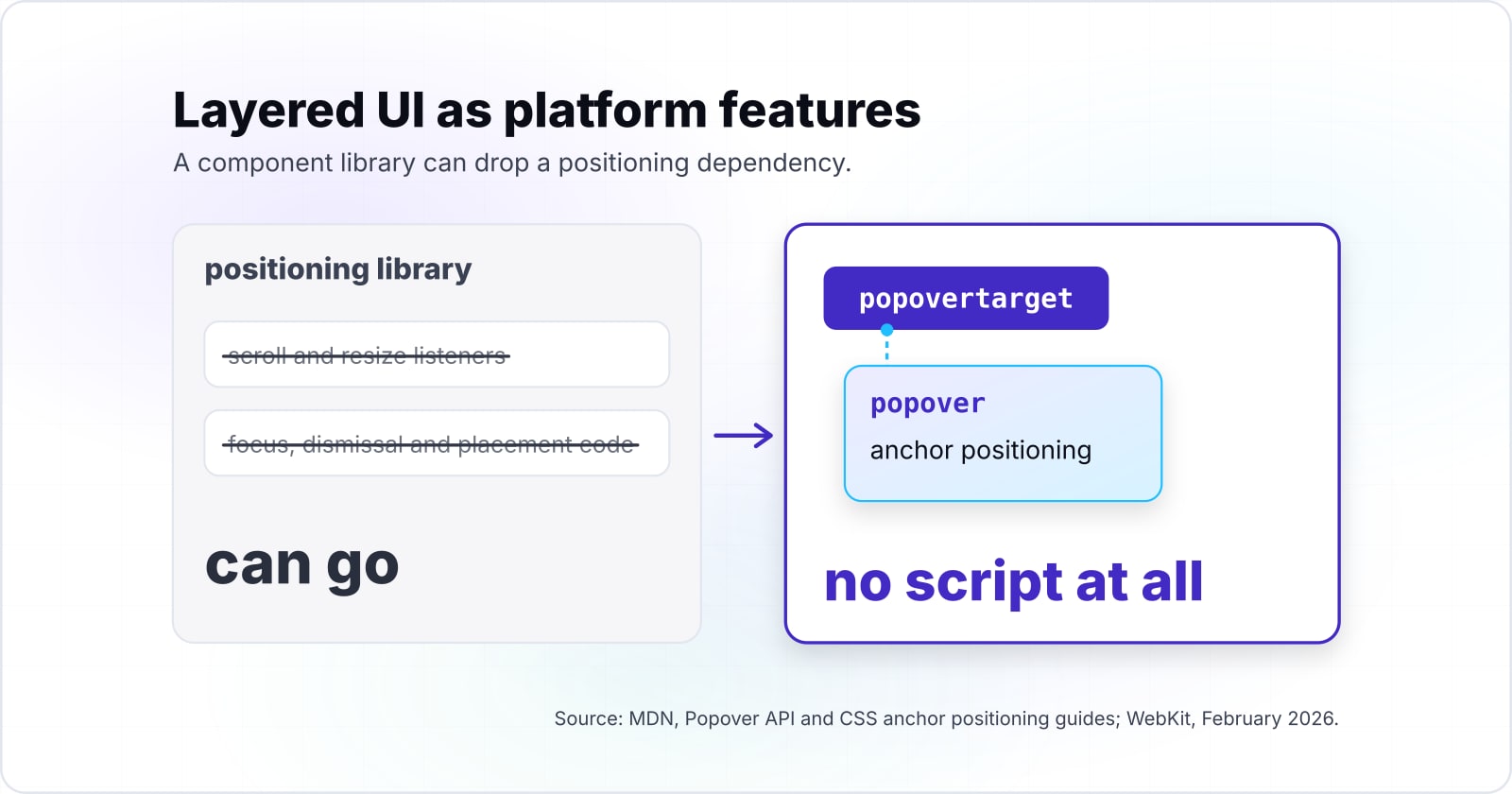
Anchor positioning and the Popover API move tooltip, menu and popover placement into CSS and HTML, so a component library can drop a positioning dependency. Popover and anchor positioning turn layered UI into platform features, which removes focus, dismissal and placement code a team used to maintain.
Start with the Popover API. MDN calls it "a standard, consistent, flexible mechanism" for showing content on top of everything else. A button with a popovertarget attribute opens and closes the popover with no script at all. MDN lists the typical uses: action menus, toast messages, form suggestions, content pickers and teaching UI.
There is one rule to learn. Popovers are always non-modal, so people can still use everything behind them. When you need a modal, use the dialog element instead, and MDN notes you can combine the two. Interop 2026 adds three details to dialogs and popovers. The closedby attribute lets a click outside close a dialog. The :open pseudo-class styles open elements. Then popover="hint" makes a tooltip that does not close the menus already open.
Anchor positioning handles where the layer goes. MDN's anchor positioning guide says it lets you "tether elements together". First, you name an anchor, then size and place another element against it. Then you can list fallback positions for when the layer would run off screen. Finally, you can hide the layer when its anchor scrolls away.
So those are the jobs a positioning library does in JavaScript today. Once both features hold in the browsers you support, the library and its scroll and resize listeners can go. WebKit's February 2026 post says anchor positioning carried over from Interop 2025. This year's work is on spec clarity, test issues and reliability. So test it in every engine you serve before you delete the old code.
When can a team drop the fallback for a new feature?#
Under the web.dev Baseline rule, a feature turns Widely available 30 months after it is Newly available, so the Popover API, Newly available in January 2025, reaches it in July 2027. A team sets its own adoption date by adding 30 months to a feature's Newly available month and comparing that with its browser support policy.
| Feature | Newly available | Widely available |
|---|---|---|
| Size container queries | February 2023 | August 2025 |
| Subgrid | September 2023 | March 2026 |
| :has() | December 2023 | June 2026 |
| Popover API | January 2025 | July 2027 |
So the rule turns every Baseline date into a calendar entry. In web.dev's Baseline list, size container queries became Newly available in February 2023, so they reached Widely available in August 2025. Under the same web.dev list, subgrid arrived in September 2023 and :has() in December 2023. As a result, subgrid crossed the line in March 2026 and :has() in June 2026.
Then apply it to your own policy. If your team supports only what is Baseline Widely available, keep a popover fallback until July 2027. That date starts from MDN's January 2025 entry. If your team accepts Newly available features, you can drop that fallback today. And if you support a set of named browser versions, check each feature in the web features explorer instead.
Find the month on web.dev or MDN.
Baseline Newly available
January 2025Widely available, plus 30 months
July 2027Popover API: keep the fallback until July 2027
That is 9 months after October 2026. Put the date in your planning doc.
In short, this method does one thing a trend list cannot. It gives each of the new technologies in web development for 2026 a date, not a mood. A tech lead can put those dates in a planning doc and stop debating each feature from scratch.
How much code does AI write now, and what does that change in review?#
State of JavaScript 2025, published 3 February 2026, found the share of code that is AI output rose from 20% to 29% in a year, which moves effort from writing toward review. Because code written by AI is a growing share of what teams ship, the change it forces is in review, typing and tests rather than in the browser.
20%
A year earlier
29%
State of JavaScript 2025
AI output rose from 20% to 29% of respondents' code in a year, which moves effort from writing toward review.
| Option | respondent average, percent of code |
|---|---|
| A year earlier | 20% |
| State of JavaScript 2025 | 29% |
The State of JavaScript 2025 usage results say the share of code from AI output is "increasing from 20% to 29% year-over-year". The same survey notes that respondents do not yet produce most of their code with AI. It also finds that the share of developers who write only TypeScript keeps rising.
So those two numbers point at the process, not the platform. When more code arrives from a tool, the cost moves to checking it. First, types catch one class of mistake before review. Then tests catch another. As a result, a human review spends its time on intent and design rather than on syntax.
Search for web development trends 2026 and AI sits at the top of most lists. That trend is real, but it is a change to how a team reviews and tests. It does not add a browser feature, and it does not change the Baseline dates above. If you are adding AI to your build, put the controls in first. That means typed code, tests that run on every change and a named reviewer. We describe how we set that up on our AI-augmented development page.
When is a 2026 innovation not a fit for your build yet?#
Temporal, WebGPU and speculation rules were still Limited availability on MDN in October 2026, so a team serving every browser keeps a fallback or waits. Features that are Limited availability belong behind progressive enhancement or a polyfill, and WebGPU or WebAssembly JSPI only earn their cost in compute-heavy products.
First, Temporal. MDN calls the Temporal object "a full replacement for the Date object", with time zones and calendars built in. But as of October 2026 it is not Baseline. If you need it now, use a polyfill and plan to remove it later. Otherwise, keep the date library you have. Our ECMAScript 2026 guide covers the language side in more depth.
Second, WebGPU. In October 2026, MDN describes the WebGPU API as the successor to WebGL, with general-purpose GPU compute. That is a big step for 3D tools, game development and heavy computation in the browser. Yet it is Limited availability, and a store, a blog or a dashboard gains little from it. For those, WebGL and the libraries built on it remain the better choice.
Third, WebAssembly with JSPI. WebAssembly, or Wasm, runs code compiled from languages such as C, C++, C# and Rust at near-native speed in the browser. JSPI, the JavaScript Promise Integration API, lets Wasm code that expects to wait for results work with JavaScript's async calls. Interop 2026 lists it as a focus area. So it suits a team porting a large native codebase. For ordinary web forms and pages, plain JavaScript is simpler to build and to maintain.
Finally, speculation rules sit in a gentler place. They are Limited availability too, but they add speed on top of normal links. So a browser that does not run them still follows the link as usual. As a result, they are safe to add now, as long as nothing depends on the prerender.
| Feature | Status, October 2026 | For now |
|---|---|---|
| Temporal | Limited availability on MDN | A polyfill, or keep your date library |
| WebGPU | Limited availability on MDN | WebGL and the libraries built on it |
| WebAssembly JSPI | An Interop 2026 focus area | Plain JavaScript for ordinary forms and pages |
| Speculation rules | Limited availability on MDN | Safe to add now, if nothing depends on the prerender |
Where should a team go next with these innovations?#
Start with the features already Baseline, put the rest on a dated calendar, and read the related posts on ECMAScript 2026, the edge and site speed next. A team acts on the shipped features now and schedules the rest by date. Most web development innovations on a 2026 list fit one of those two piles.
For the language changes, read the ECMAScript 2026 guide. Many 2026 lists bundle edge computing with AI and WebAssembly. For that trend, what belongs at the edge sorts the work that gains from running near the user. And for speed work, the site optimization guide shows how to measure what speculation rules buy you.
If you would rather have help, our web performance team rolls out and measures this kind of change. Our custom software development team plans new builds around what the platform now does. Still, none of that is required. The Baseline page, the Interop 2026 list and MDN are enough on their own to plan the year.