Third-party API integration: what to plan for, what it costs and where it breaks
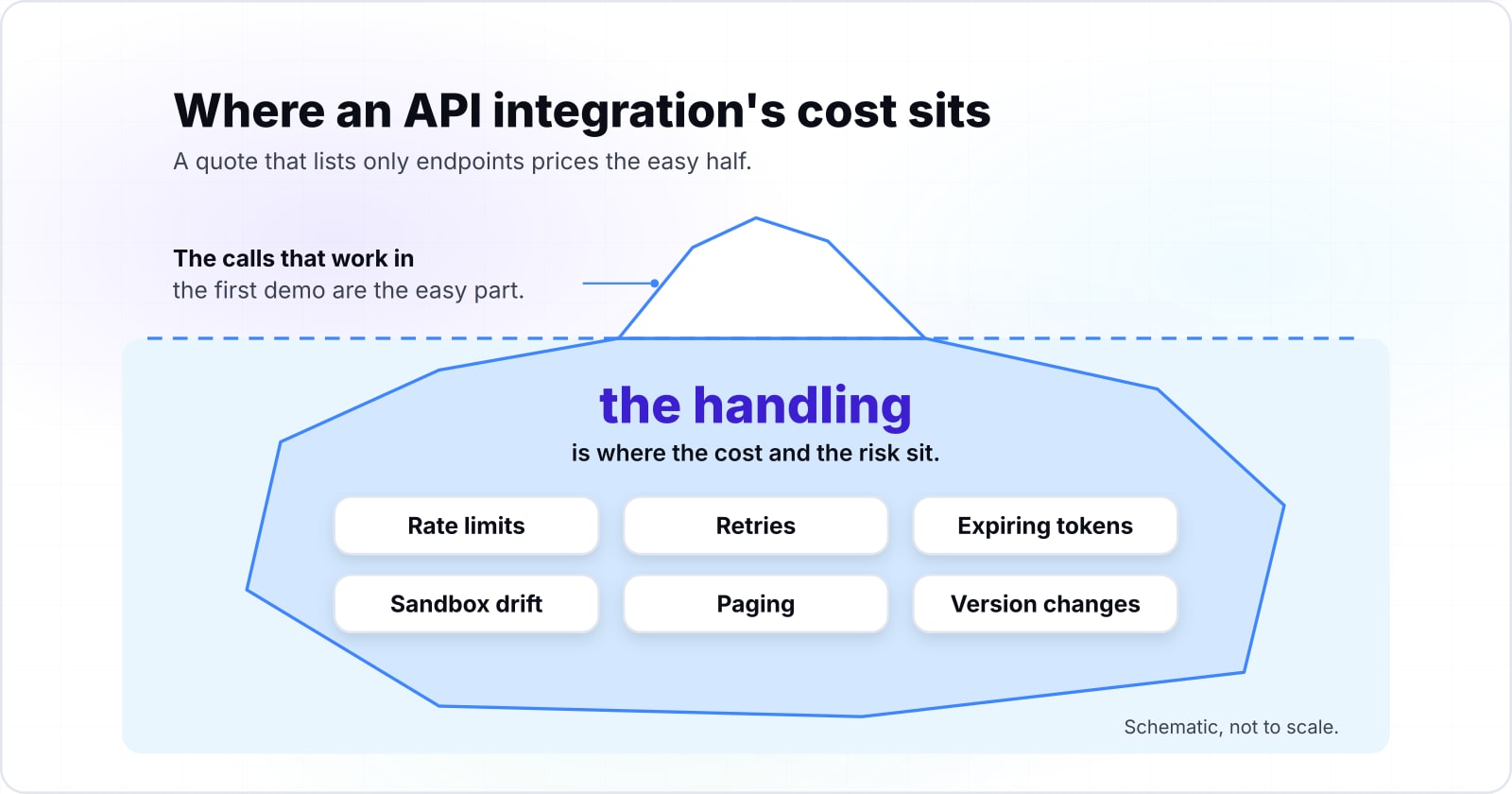
The calls that work in the first demo are the easy part. What decides the cost is how the connection behaves when the vendor slows you down, expires a token or retires a version.
What does a third-party API integration actually involve?#
A third-party API integration is the happy-path calls plus the work that keeps them correct when limits, tokens, versions and networks fail. The first half is quick to show. A developer reads the reference, sends a request and gets a record back. However, the vendor writes every rule that decides whether that request still works next month.
Take three of those rules from the vendors' own pages. First, take GitHub's rate-limit page for its REST (representational state transfer) API, accessed in October 2026. It says an over-limit client gets "a 403 or 429 response" and must wait. Second, there is Google's page on OAuth 2.0, the standard that lets an app act for a user. Updated on 16 October 2026, it lists the ways a refresh token stops working. Third, Shopify's versioning page, read the same month, says "Each stable version is supported for a minimum of 12 months" as its rule.
None of those rules shows up in a demo. Instead, each one shows up weeks later as a slow sync, a dead connection or a missing field. That is why API integrations break after launch rather than in the demo. Therefore the rest of this guide treats each rule as a line of work with a size and an owner.
What should a third-party API integration quote include?#
A sound quote names the failure handling as separate lines: rate limits, retries and idempotency, token refresh, sandbox drift, pagination, version upgrades and monitoring. Those lines drive the cost of an integration. So a quote that lists only endpoints and screens is pricing the happy path. The gap comes back later as change requests. In short, the failure handling, not the endpoint count, sets the API integration cost.
Ask whoever builds it to size each of these on its own line:
| Quote line | What it covers |
|---|---|
| Rate-limit design. | Batching, scheduling or bulk endpoints, sized from the vendor's published limit. |
| Retries and idempotency. | One retry layer with backoff, a wait that grows after each failure, and a key on every write so a retry cannot create a duplicate. |
| Token handling. | Refresh, safe storage, and an alert when a grant is revoked. |
| Production-shaped testing. | A test run on real volumes, not only the sandbox. |
| Paging. | The vendor's own cursor or link header, with a check that counts match. |
| Version upgrades. | A named owner and a calendar for each vendor's release cycle. |
| Monitoring. | Alerts on the vendor's own signals, covered in a later section. |
Two inputs size most of these lines. The first is the sync time, which is arithmetic on the vendor's limit. The second is the retry fan-out, which is arithmetic on how many layers retry. Both are worked through below, so each line gets a number rather than a guess. For the budget of the wider project, the guide to what custom software development costs covers the rest.
How do rate limits decide how long a sync takes?#
A sync's minimum time is arithmetic on the vendor's limit; as a worked example, 50,000 records at 100 requests per 10 seconds need at least 5,000 seconds. That is about 83 minutes. And no faster server changes it, because the vendor counts the calls.
HubSpot's usage guidelines, last modified on September 4, 2026, set that burst limit at 100 requests per 10 seconds per app for Free and Starter accounts. The same September 2026 page caps those accounts at 250,000 requests per day. So in the example, one call per record spends a fifth of the day on a single nightly run.
Show data table
| Item | Value |
|---|---|
| 10,000 records | 1,000 seconds |
| 50,000 records | 5,000 seconds |
| 100,000 records | 10,000 seconds |
| 250,000 records (the whole daily allowance) | 25,000 seconds |
At one call per record, 50,000 records need at least 5,000 seconds, and no faster server changes it.
The daily cap is the second wall. HubSpot's September 2026 guidelines raise it to 625,000 a day on Professional and 1,000,000 on Enterprise. So the plan your company is on changes what the integration can do.
Show data table
| Item | Value |
|---|---|
| Free and Starter | 250,000 requests |
| Professional | 625,000 requests |
| Enterprise | 1,000,000 requests |
The plan your company is on moves the daily wall from 250,000 requests to 1,000,000.
Your own sync floor
Enter your records per run and your plan's limits; it works out the minimum sync time and the share of the daily allowance one run spends.
Minimum sync time, minutes
83.3
- Share of the daily allowance one run spends
- 20%
A worked example at one call per record; batch endpoints change the count. Modelled, not measured.
Therefore the design has to batch, schedule or use bulk endpoints before volume grows. When a client goes over, the server answers with HTTP status 429. HTTP is the protocol web APIs speak, and the IETF is the body that sets its standards. Its RFC 6585, a Request for Comments (RFC) from April 2012, says it means the user "has sent too many requests" in a given time. An integration that reads that answer and waits is slow. But one that ignores it is soon blocked.
Why can another app use up your integration's API allowance?#
GitHub's REST API documentation (accessed October 2026) gives an authenticated user 5,000 requests per hour, counted across every app and token acting for that user. A rate limit is often a budget you share with other tools. So the published number is a ceiling, not your allowance.
GitHub's page is plain about it. Tokens and apps acting for one person "count towards your personal rate limit of 5,000 requests per hour," in GitHub's October 2026 wording. An app owned by an organisation on GitHub Enterprise Cloud, its business plan, gets 15,000 an hour on the same page. Even so, GitHub warns that "requests made by a higher-limit app reduce the remaining budget available for lower-limit authentication" methods.
5,000
Personal limit for a user
15,000
Enterprise Cloud organisation app
A higher-limit app acting for a person spends the same 5,000-an-hour budget the lower-limit tools draw on.
| Option | requests per hour |
|---|---|
| Personal limit for a user | 5,000 |
| Enterprise Cloud organisation app | 15,000 |
Source: GitHub, October 2026
Show data table
| Item | Value |
|---|---|
| Unauthenticated | 60 per hour |
| Authenticated user or app installation (minimum) | 5,000 per hour |
| App installation ceiling | 12,500 per hour |
| Enterprise Cloud organisation | 15,000 per hour |
The published number is a ceiling shared across every app and token acting for one person, not a private allowance.
In practice, your integration may share its budget with a reporting tool or a bot that someone else added. Therefore plan for headroom, and read the vendor's remaining-quota headers on every response. GitHub returns x-ratelimit-remaining and x-ratelimit-reset. Also, its page notes the remaining count can vary between responses, because requests run in several regions. So treat the header as the truth and your own counter as a guess.
How do retries turn one failure into many calls or a duplicate charge?#
Retries multiply: the AWS Builders' Library example (December 2019) shows retries at each layer of a five-deep stack raising load on the bottom service 243x. Three attempts per layer become nine at two layers and 27 at three. With each layer retrying on its own, the AWS article calls the failing database "unlikely to ever recover" from the load.
Show data table
| Stage | Value |
|---|---|
| 1 layer | 3 |
| 2 layers | 9 |
| 3 layers | 27 |
| 4 layers | 81 |
| 5 layers | 243 |
Three attempts per layer become nine at two layers, 27 at three and 243 at five.
Instead, the same AWS article says to "retry at a single point in the stack," with a capped backoff and jitter. Jitter is a small random delay, so a crowd of failed calls does not come back at the same instant. Also cap the number of attempts. A retry that never stops is a load test you did not plan.
The second risk is quieter. A write that timed out may still have worked. So a blind retry can charge a card twice or create a second order. An idempotency key stops that. It is a unique value sent with a write, so the server can spot a repeat. Stripe's API reference, read in October 2026, saves the result of the first request made with a key and returns it on a retry. It also notes that keys can be removed once they are at least 24 hours old.
Meanwhile, the IETF is turning the idea into a shared header. Its Idempotency-Key draft, version 08 of 22 October 2026, aims to make "non-idempotent HTTP methods such as POST or PATCH" fault-tolerant. POST and PATCH are the requests that create or change data. For one vendor worked through in full, the guide to cart updates and payment intents shows the same keys in a checkout.
Why does an API connection stop working weeks after launch?#
Google's OAuth 2.0 documentation (updated October 2026) expires a Testing-status refresh token in 7 days and keeps 100 refresh tokens per account per client. OAuth 2.0 is the open standard most vendors use to let an app act for a user without holding the password. So access rests on tokens the vendor can expire or revoke for reasons outside your code.
RFC 6749, the IETF's OAuth 2.0 standard from October 2012, sets out two kinds of token. In its words, access tokens "are credentials used to access protected resources" and nothing more. Refresh tokens, in turn, "are credentials used to obtain access tokens" when the old one expires. While the short-lived one does the work, the long-lived one renews it. When the refresh token dies, the connection dies with it.
Google's page, updated on 16 October 2026, lists why that happens. A user revokes access, or the token goes six months without use. If the user changes a password, tokens with Gmail scopes, the permission to touch mail, stop working too. In addition, Google caps refresh tokens. "There is currently a limit of 100 refresh tokens per Google Account per OAuth 2.0 client ID," says its 2026 page. Past that limit, the oldest token stops working without a warning.
So token refresh, safe storage and an alert on authentication failures are planned work, not an afterthought. A retry cannot fix an expired grant. Someone has to know at once, and then someone has to ask the user to connect again.
What does a sandbox fail to tell you about production?#
A sandbox proves the requests are shaped right, not that production data volumes, limits or paging will behave the same way. A test account holds a small set of tidy records. But your production account holds years of edited, merged and half-filled ones, so the edge cases only appear there.
Paging is where the gap bites first. Pagination splits a long result into pages, and the vendor decides how you walk them. For example, GitHub's pagination page, accessed in October 2026, returns a link header with the URLs for the previous, next, first and last page. So use those links, or the vendor's cursor (a marker for where the next page starts), rather than building page numbers yourself. When records are added or removed while you page by a count, later pages shift. Then a record can be read twice or skipped.
Vendors also cap how deep you can page. "Pagination of arrays of objects caps at 25,000 objects," says Shopify's limits page, read in October 2026, and the cap applies to count queries too. A sandbox with a few hundred sample products never meets that wall. A real store with tens of thousands does.
Finally, not every surface is versioned. Shopify lists APIs that "aren't versioned and might change at any time" without notice. Therefore test with production-shaped data, and compare counts at both ends after each run. Then note which calls sit outside the vendor's version promise.
| What to test | Sandbox | Production |
|---|---|---|
| Records | A test account holds a small set of tidy records. | Your production account holds years of edited, merged and half-filled ones. |
| Paging depth | A sandbox with a few hundred sample products never meets that wall. | A real store with tens of thousands does. |
Who owns a vendor's API change after launch?#
Shopify's documentation (accessed October 2026) supports each stable API version for a minimum of 12 months, so every integration needs a named owner for upgrades. The page adds that a new version ships every three months, with at least nine months of overlap. As a result, the upgrade is a calendar item rather than an emergency, if somebody owns it.
Other vendors pin versions in other ways. Stripe's upgrade guide, read in October 2026, says to set the API version in your code instead of relying on the account's default. Webhooks are the calls Stripe sends your server when something changes. To upgrade them, Stripe's steps are to create new endpoints, move traffic to them, then disable the old ones. That is a small project, and it belongs on the plan.
Some vendors announce the end in the response itself. RFC 8594, from May 2019, defines a Sunset header. The header says a URI, a web address, "is likely to become unresponsive" at a set date. And Shopify warns, on that October 2026 page, that a deprecated API "can stop working at any time" once support ends.
Name these owners before launch:
- Owner 1
Changelog reader
Watches each vendor's release notes and deprecation notices.
- Owner 2
Upgrade tester
Runs the new version against production-shaped data.
- Owner 3
Release owner
Ships the change and moves webhook endpoints.
- Owner 4
Budget holder
Signs off the hours each upgrade takes.
- Changelog reader. Watches each vendor's release notes and deprecation notices.
- Upgrade tester. Runs the new version against production-shaped data.
- Release owner. Ships the change and moves webhook endpoints.
- Budget holder. Signs off the hours each upgrade takes.
If the answer to any of these is "the vendor" or "whoever built it," the job has no owner. So ask for that list in writing from whoever provides your API integration services.
What should you monitor so the integration reports its own failures?#
Monitor the vendor's own signals, not only your error rate: 429 responses, remaining-quota headers, token refresh failures, deprecation headers and the age of the last good sync. Your own logs say a call failed. But the vendor's signals say why, and often before it fails.
Each vendor prints the signals in its responses. For example, GitHub's page, accessed in October 2026, returns x-ratelimit-remaining and, for some limits, a retry-after header. HubSpot's September 4, 2026 guidelines return X-HubSpot-RateLimit-Remaining and a daily remaining count. Retry-After itself is defined in RFC 9110, the IETF's HTTP standard from June 2022.
Alert on five things:
- Quota running low. Remaining requests under a threshold you set, well before zero.
- Rate-limit errors. Any rise, since HubSpot's 2026 guidelines ask apps to keep error responses under 5% of daily requests.
- Authentication failures. A refresh that fails needs a person, not a retry.
- Sunset or deprecation headers. Any response that carries one opens a ticket for the upgrade owner.
- A stale sync. The time since the last good run, because a sync that silently stops throws no error.
The last one matters most. Because an integration that stops calling raises no alarm in an error log, a customer often notices the missing order first.
When is a custom third-party API integration the wrong fit?#
A custom build is the wrong fit when an off-the-shelf connector already handles your records, volume and failure cases, and nobody will own it after launch. So use the tests above as the checklist a connector must pass.
Three cases point away from a build:
| Case | Why a build is the wrong fit |
|---|---|
| The data is shallow. | If you copy contacts one way into a mailing tool, the vendor's own marketplace app is the better choice. The vendor keeps it current through its own version changes. |
| The volume sits well inside the limits. | When a few hundred records a day move between two common tools, an API integration platform with a ready connector costs less to run. Check that it reads 429s and backs off. |
| The team has no upgrade owner. | If no one inside reads a changelog, a managed connector is safer than custom code that breaks on the vendor's calendar. |
Build when the integration is core to the product or moves money or orders. Also build when the volume needs batching a connector cannot do. Are you designing an API of your own rather than calling someone else's? Then the guide to API types and architectures is the place to start.
Where should you go from here?#
Take the quote lines above to whoever builds the integration, and read on for the neighbouring decisions. When the connection runs into an ERP (enterprise resource planning) or warehouse system, the supply chain management software guide covers where those integrations fail. When the vendor holds your sales contacts, choosing a customer relationship management tool shows how to test its API limits before you sign.
If you want help, our API integration services cover planning and building. Then maintenance and support covers the upgrades and monitoring after launch. Still, every limit, header and version window here is printed in the vendors' own documentation. Read those pages for your vendors, and they are enough to write the plan yourself.