WordPress postmeta vs custom tables: making the call before it's too late
A slow filtered listing in WordPress is rarely a mystery. The SQL behind it can be counted and read, and that reading tells you whether the data belongs in postmeta or in a table of its own.
When should a WordPress plugin use a custom table instead of postmeta?#
Move a post type's data from postmeta to a custom table when its filters combine several meta keys, its rows run into the millions, and EXPLAIN shows those joins scanning.
The WordPress custom table vs post meta choice is a data-shape question first and a speed question second. Postmeta is a list of key and value pairs hung off each post. That shape is perfect for reading the fields of one post. However, it is awkward for asking which posts match three conditions at once.
So knowing when to use custom tables in WordPress comes down to three checks you can run on your own data:
If only one check is true, fix the query or add a cache. When all three are true, the table is the problem, and every month you wait adds rows and code that read the old shape.
What does the postmeta vs custom tables decision cost as a site grows?#
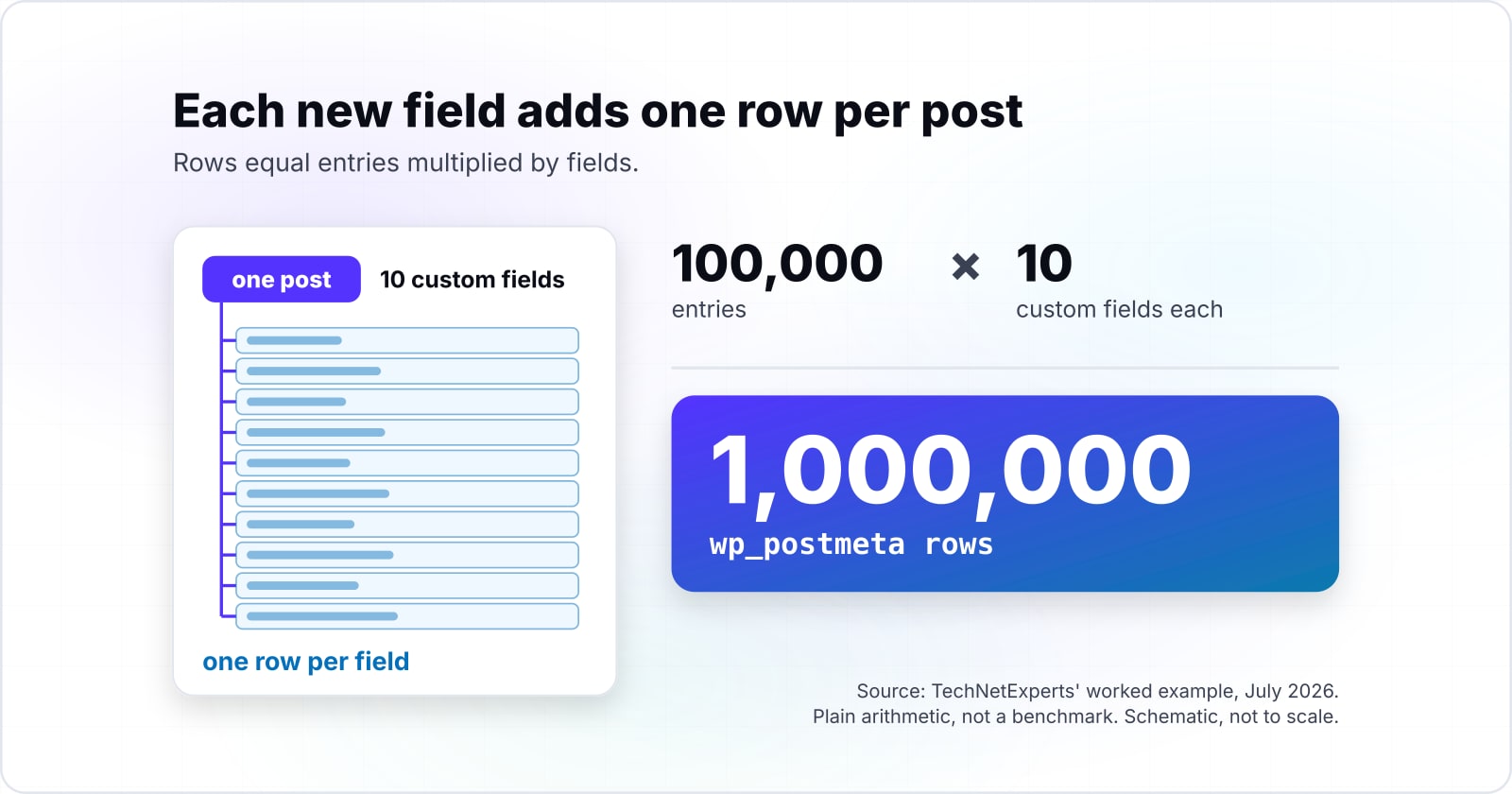
As a worked example, TechNetExperts' July 2026 case of 100,000 entries with 10 custom fields each comes to 1,000,000 wp_postmeta rows, one row per field.
Because rows equal entries multiplied by fields, that figure is plain arithmetic, not a benchmark. So the point is the growth rule. Each new field adds one row per post, and each new post adds one row per field. As a result, wp_postmeta performance falls off long before the posts table looks large.
Show data table
| Item | Value |
|---|---|
| 100,000 entries, 10 fields | 1,000,000 |
| 100,000 entries, 20 fields | 2,000,000 |
| 100,000 entries, 30 fields | 3,000,000 |
Each new field adds one row per post, so rows grow as entries times fields.
Then the cost lands on every filtered listing and every admin screen that sorts by a field. In the worked example, a filter that felt instant at launch now reads a table ten times the size of the posts table. Also, writes slow down too, because every save touches one row per field.
But you can estimate your own number before you measure anything. Count the published posts in the type, then count the fields a typical post carries, and multiply. If that lands in the millions and your filters use several keys, keep reading.
What does the wp_postmeta table look like, and what is indexed?#
WordPress core's schema.php, read on 8 October 2026, defines wp_postmeta with an index on post_id and on only the first 191 characters of meta_key.
Here is the table as core creates it:
CREATE TABLE wp_postmeta (
  meta_id bigint(20) unsigned NOT NULL auto_increment,
  post_id bigint(20) unsigned NOT NULL default '0',
  meta_key varchar(255) default NULL,
  meta_value longtext,
  PRIMARY KEY (meta_id),
  KEY post_id (post_id),
  KEY meta_key (meta_key(191))
);
There are three indexes: the primary key, post_id and meta_key. The meta_value column has none, and as a longtext it cannot carry a plain index anyway. So the table can find which post and which key fast. Then it must compare every value for that key one by one.
Also, the comment above that definition in schema.php, read on 8 October 2026, explains the 191. Since WordPress 4.2 moved to utf8mb4, which uses 4 bytes per character, a 767-byte index has room for 191 characters, not 255.
255
meta_key column, varchar
191
meta_key index prefix under utf8mb4
The key is only partly indexed and the value not at all.
| Option | characters |
|---|---|
| meta_key column, varchar | 255 |
| meta_key index prefix under utf8mb4 | 191 |
Source: WordPress.org, schema.php on trunk, accessed 8 October 2026
In practice the prefix rarely hurts, because few keys run past 191 characters. The missing value index is what matters. For example, a filter on price >= 100 cannot use an index on a column that has none.
How many joins does a meta_query add to the SQL?#
WP_Meta_Query adds one INNER JOIN on wp_postmeta for each clause, and reuses a join only for OR siblings with positive operators or AND siblings negating the same key.
WP_Meta_Query is the class that turns the meta_query argument of WP_Query into SQL. Its source on developer.wordpress.org carries the comment "We prefer to avoid joins if possible" just before it looks for a join to reuse. When it finds none, it names the next alias: the first join uses wp_postmeta itself, then mt1, then mt2.
For instance, take the worked example: a directory of listings filtered by city, status and minimum rating.
Trimmed to the parts that matter, the SQL it writes looks like this:
$query = new WP_Query( array(
	'post_type'  => 'listing',
	'meta_query' => array(
		'relation' => 'AND',
		array( 'key' => 'city', 'value' => 'Pune' ),
		array( 'key' => 'status', 'value' => 'open' ),
		array( 'key' => 'rating', 'value' => 4, 'compare' => '>=', 'type' => 'NUMERIC' ),
	),
) );SELECT wp_posts.ID FROM wp_posts
INNER JOIN wp_postmeta ON ( wp_posts.ID = wp_postmeta.post_id )
INNER JOIN wp_postmeta AS mt1 ON ( wp_posts.ID = mt1.post_id )
INNER JOIN wp_postmeta AS mt2 ON ( wp_posts.ID = mt2.post_id )
WHERE ( wp_postmeta.meta_key = 'city' AND wp_postmeta.meta_value = 'Pune' )
AND ( mt1.meta_key = 'status' AND mt1.meta_value = 'open' )
AND ( mt2.meta_key = 'rating' AND CAST(mt2.meta_value AS SIGNED) >= '4' )
AND wp_posts.post_type = 'listing'
GROUP BY wp_posts.ID;So three AND clauses on three keys make three joins against the same million-row table. Then the numeric clause wraps meta_value in CAST, so even a value index could not help it.
wp_postmeta rows and joins for your post type
Set the posts in the type, the custom fields per post and the meta_query clauses on distinct keys with AND; it computes the wp_postmeta rows and the joins WP_Meta_Query writes.
wp_postmeta rows
1,000,000
- wp_postmeta joins
- 3
Defaults are the illustrative worked example, an assumption, not a measurement. Modelled, not measured.
If your meta_query slow-down started as the post type grew, count its clauses first. Each AND clause on a new key adds one join.
How do you read EXPLAIN for a slow meta_query?#
Run EXPLAIN on the SQL WP_Query generates and read the type column for each wp_postmeta alias: ref is an index lookup, while ALL is a full scan.
First, get the SQL. After the query runs, $query->request holds the exact statement WordPress sent. Then put EXPLAIN in front of it and run it in your database client. MariaDB is a fork of MySQL, and its EXPLAIN page, read on 8 October 2026, lists one row per table in join order.
Then read three columns on each wp_postmeta row:
- type. MariaDB's page says ALL means "a full table scan is done", which happens when "the optimizer could not find any usable index to access rows." By contrast, ref means a non-unique index was used, which it calls good "if the prefix doesn't match many rows."
- key. This names the index used. NULL means no index was used.
- rows. This is the optimizer's estimate of rows read for each lookup.
| Column | Healthy plan | Plan worth switching for |
|---|---|---|
| type | ref, a non-unique index lookup | ALL, a full table scan |
| key | meta_key or post_id | NULL, no index used |
| rows | small row estimates | close to the size of wp_postmeta |
A healthy plan shows ref on meta_key or post_id with small row estimates. On the other hand, a plan worth switching for shows ALL, or a rows estimate close to the size of wp_postmeta, on more than one alias. Because estimates can mislead, MariaDB's ANALYZE runs the query and adds the real row counts beside them.
Also, run this on production-sized data, not a fresh dev site. Fifty listings will always look fine. For the wider slow-query toolkit, see the guide to fixing MySQL performance bottlenecks.
What did WooCommerce change when it moved orders out of postmeta?#
WooCommerce's High-Performance Order Storage documentation, read on 8 October 2026, lists four custom order tables that hold orders on new stores from version 8.2.
High-Performance Order Storage, or HPOS, is the largest public move from postmeta to custom tables. WooCommerce's documentation, read on 8 October 2026, says that "Before the release of version 8.2, WooCommerce relied on the _post and _postmeta table structures to store order information." The four tables are wc_orders, wc_order_addresses, wc_order_operational_data and wc_orders_meta. The same page credits them with "dedicated indexes which results in fewer read/write operations and fewer busy tables."
But the tables were the small part. WooCommerce also had to build these:
- A sync layer. One set of tables is authoritative and the other is a backup that receives copies. The same documentation describes immediate, manual and scheduled sync.
- A compatibility mode. WooCommerce's merchant guide, read on 8 October 2026, says compatibility mode keeps orders synced to the posts table, and its backfill moves 25 orders at a time.
- A new API for extensions. The HPOS recipe book tells extension authors to replace direct post and postmeta access with WooCommerce's create, read, update and delete (CRUD) API.
In short, that is the bill for switching late. Every plugin that read orders with get_post_meta had to change, or the store had to keep two copies in sync. Your post type has fewer readers than WooCommerce orders. Still, the same rule holds: the more code reads the old shape, the more the move costs.
Which WordPress documentation should you build a custom table from?#
Build from the WordPress pages in this order: the core schema for wp_postmeta, Creating Tables with Plugins, the dbDelta reference, and the WP_Meta_Query reference you are replacing.
- First
WordPress core schema.php
The wp_postmeta definition, so you know which indexes you are leaving behind.
- Second
Creating Tables with Plugins
The dbDelta formatting rules and the stored version option that lets the table change later.
- Third
The dbDelta reference
What the function compares and returns.
- Fourth
The WP_Meta_Query reference
The join logic your new query replaces, so you can list every meta_query that must move.
Open them here: WordPress core schema.php, Creating Tables with Plugins, The dbDelta reference and The WP_Meta_Query reference.
A WordPress custom database table is created with dbDelta, a function in wp-admin/includes/upgrade.php. It compares the table you describe with the one on disk and adds or changes what differs. The plugin handbook warns that dbDelta "is rather picky." For instance, it wants "two spaces between the words PRIMARY KEY and the definition of your primary key." It also wants KEY rather than INDEX.
What is the smallest correct custom table for a post type?#
A dbDelta CREATE TABLE with one typed column per filtered field and a KEY on the filter columns replaces a three-join meta_query with one indexed lookup.
The plugin below does it in three steps: it creates the table, writes a row when a listing is saved, and queries it. It follows the handbook's install routine, including the version check on plugins_loaded. That check matters because activation hooks do not run when a plugin is updated.
<?php
/**
 * Plugin Name: Listing Index
 */
global $listing_db_version;
$listing_db_version = '1.0';
// Step 1: create or update the table, and store its version.
function listing_install() {
	global $wpdb, $listing_db_version;
	$table_name      = $wpdb->prefix . 'listing_index';
	$charset_collate = $wpdb->get_charset_collate();
	$sql = "CREATE TABLE $table_name (
  post_id bigint(20) unsigned NOT NULL,
  city varchar(100) DEFAULT '' NOT NULL,
  status varchar(20) DEFAULT '' NOT NULL,
  rating tinyint(3) unsigned DEFAULT 0 NOT NULL,
  PRIMARY KEY  (post_id),
  KEY city_status_rating (city,status,rating)
) $charset_collate;";
	require_once ABSPATH . 'wp-admin/includes/upgrade.php';
	dbDelta( $sql );
	update_option( 'listing_db_version', $listing_db_version );
}
register_activation_hook( __FILE__, 'listing_install' );
function listing_update_db_check() {
	global $listing_db_version;
	if ( get_option( 'listing_db_version' ) !== $listing_db_version ) {
		listing_install();
	}
}
add_action( 'plugins_loaded', 'listing_update_db_check' );
// Step 2: write one row per listing after the post and its fields are saved.
function listing_sync_row( $post_id, $post ) {
	if ( 'listing' !== $post->post_type || wp_is_post_revision( $post_id ) ) {
		return;
	}
	global $wpdb;
	$wpdb->replace(
		$wpdb->prefix . 'listing_index',
		array(
			'post_id' => $post_id,
			'city'    => (string) get_post_meta( $post_id, 'city', true ),
			'status'  => (string) get_post_meta( $post_id, 'status', true ),
			'rating'  => (int) get_post_meta( $post_id, 'rating', true ),
		),
		array( '%d', '%s', '%s', '%d' )
	);
}
add_action( 'wp_after_insert_post', 'listing_sync_row', 10, 2 );
// Step 3: one indexed lookup replaces the three joins.
function listing_find_ids( $city, $status, $min_rating ) {
	global $wpdb;
	$table = $wpdb->prefix . 'listing_index';
	return $wpdb->get_col(
		$wpdb->prepare(
			"SELECT post_id FROM $table WHERE city = %s AND status = %s AND rating >= %d",
			$city,
			$status,
			$min_rating
		)
	);
}
Step 2 hooks wp_after_insert_post rather than save_post. WordPress added it in 5.6 because save_post can fire before meta is saved when the block editor writes a post. Here the fields stay in postmeta as the source, so get_post_meta keeps working for other plugins. The table is an index you can rebuild at any time.
Then pass the IDs to WP_Query with post__in, and EXPLAIN the new SELECT. It should show ref or range on city_status_rating, with one row in the plan where there were three joins. Finally, add a delete hook that removes the row when a listing is deleted.
When is postmeta the right fit and a custom table the wrong tool?#
Stay on postmeta when fields are read per post, filtered one key at a time, or must stay visible to plugins that call get_post_meta.
Because a custom table buys sync work, it only pays when it removes measured joins. Here are three cases where it is the wrong tool, and what to use instead:
- Fields read on one post at a time. A single post's template reads its fields by post_id, which is indexed. Instead, keep postmeta and let the object cache hold those reads.
- A filter on one key. One clause makes one join, and meta_key is indexed, so the plan is often fine. Instead, read its EXPLAIN first and fix the query before the schema.
- Full-text or fuzzy search across many fields. A flat table helps exact matches and ranges, not typo-tolerant search. Instead, use a search index. TechNetExperts points to Elasticsearch through ElasticPress for that job.
| Case | Postmeta | Custom table |
|---|---|---|
| Fields read on one post at a time | Read by post_id, which is indexed; the object cache holds the reads | Adds sync work and removes no join |
| A filter on one key | One join on an indexed meta_key; read its EXPLAIN first | Adds sync work before the query is fixed |
| Full-text or fuzzy search across many fields | Not the tool; use a search index | Helps exact matches and ranges, not typo-tolerant search |
Also stay on postmeta when other plugins read the fields directly. WooCommerce's compatibility mode shows what it costs to break that contract. If you must move, keep postmeta as the source, as the code above does.
Where do you go next once the storage decision is made?#
For slow queries in general read the MySQL bottlenecks guide, and for where a custom table's code and migrations live read the WordPress at scale guide.
The decision leads to two next steps: tuning the queries that remain, and organising the code that owns the new table. The MySQL bottlenecks guide covers the slow query log and composite indexes. Then structuring WordPress at scale with Composer and PSR-4 shows where the install routine and its versions belong.
Two more reads close the gaps above. Why WordPress still uses serialization explains what meta_value holds when it stores an array, and why no meta_query can filter inside it. Meanwhile, the WordPress request lifecycle shows when plugins_loaded and the save hooks fire.
If you want a team to make the move, see hiring WordPress developers. If the slow listing is one symptom among many, our web performance work looks at the whole page.
Still, none of that is needed to decide. With the schema file, the WP_Meta_Query source and one EXPLAIN on your own data, you can settle postmeta vs custom tables yourself.