How to build a React Progressive Web App with Vite that installs, works offline and updates safely
One word hides three jobs. Installing, working offline and taking a new deploy each need their own setting, and you can check every one of them in the browser before you ship.
How do you build a React Progressive Web App with Vite?#
A React Progressive Web App on Vite is a normal Vite build plus vite-plugin-pwa, which adds a manifest and a Workbox service worker, served over HTTPS with a reload prompt for new versions. The vite-plugin-pwa guide names the two parts: "a web application manifest" and "a service worker".
So the work splits three ways. First, the manifest and HTTPS make the browser offer install. Second, the service worker and its caching rules let the app open with no network. Finally, the update flow decides what an open tab does when you deploy.
What does an offline, installable React app change in practice?#
In a worked example of a 128 GiB phone, MDN's storage rules (January 2026) let Chromium keep 76.8 GiB for one origin and Firefox 10 GiB, so caching rules decide offline use. Those figures are arithmetic on MDN's January 2026 rules. Chromium allows 60% of disk, and Firefox best-effort mode allows 10% of disk or 10 GiB, whichever is smaller.
What one origin may store on your device
Enter the device's disk size in GiB to see how much one origin may store in Chromium and in Firefox best-effort mode.
GiB one origin may store in Chromium
76.8
- GiB one origin may store in Firefox best-effort mode
- 10
A worked example on MDN's January 2026 rules, not a measurement of any device.
In practice, an installed app opens from its own cache, even on a train with no signal. However, the quota is rarely what stops it. Instead, the risk is a runtime cache that grows with every image and API reply. MDN's guide says eviction deletes all of an origin's data at once. Therefore, every runtime cache in the config below gets an expiration.
Show data table
| Dimension | Chromium | Firefox best-effort |
|---|---|---|
| 64 GiB disk | 38.4 GiB | 6.4 GiB |
| 128 GiB disk | 76.8 GiB | 10 GiB |
| 256 GiB disk | 153.6 GiB | 10 GiB |
| 512 GiB disk | 307.2 GiB | 10 GiB |
Chromium's ceiling grows with the disk, while Firefox best-effort mode stops at 10 GiB.
What is PWA compliance, and what does Chrome check before it offers install?#
PWA compliance means meeting the browser's installability criteria, which Google's web.dev list (September 2024) gives as HTTPS plus a manifest with a name, start_url, a display mode and 192px and 512px icons. In short, a compliant PWA uses HTTPS, ships a full manifest and meets the install checks. A service worker then adds offline use.
| Chrome install criterion | What web.dev asks for | What it gates |
|---|---|---|
| HTTPS | the app is served over HTTPS | install, and every service worker |
| Manifest name | short_name or name | the label on the home screen |
| Manifest icons | a 192px and a 512px icon | the install prompt and the launcher icon |
| start_url | present in the manifest | where the installed app opens |
| display | fullscreen, standalone, minimal-ui or window-controls-overlay | the app window without browser chrome |
| Engagement | one click or tap, and 30 seconds on the page | when the install promotion appears |
Source: Google, web.dev, "What does it take to be installable?", last updated 19 September 2024.
Notice what is missing: Chrome's current list does not name a service worker. So the worker makes the app useful offline, not installable. MDN's service worker guide adds that workers run only over HTTPS, and browsers treat your own machine as a secure origin for testing. Also, web.dev notes that other browsers differ slightly, so test in each one. The MDN manifest reference lists every member the file may carry.
Which Workbox caching strategy should each request in a React app use?#
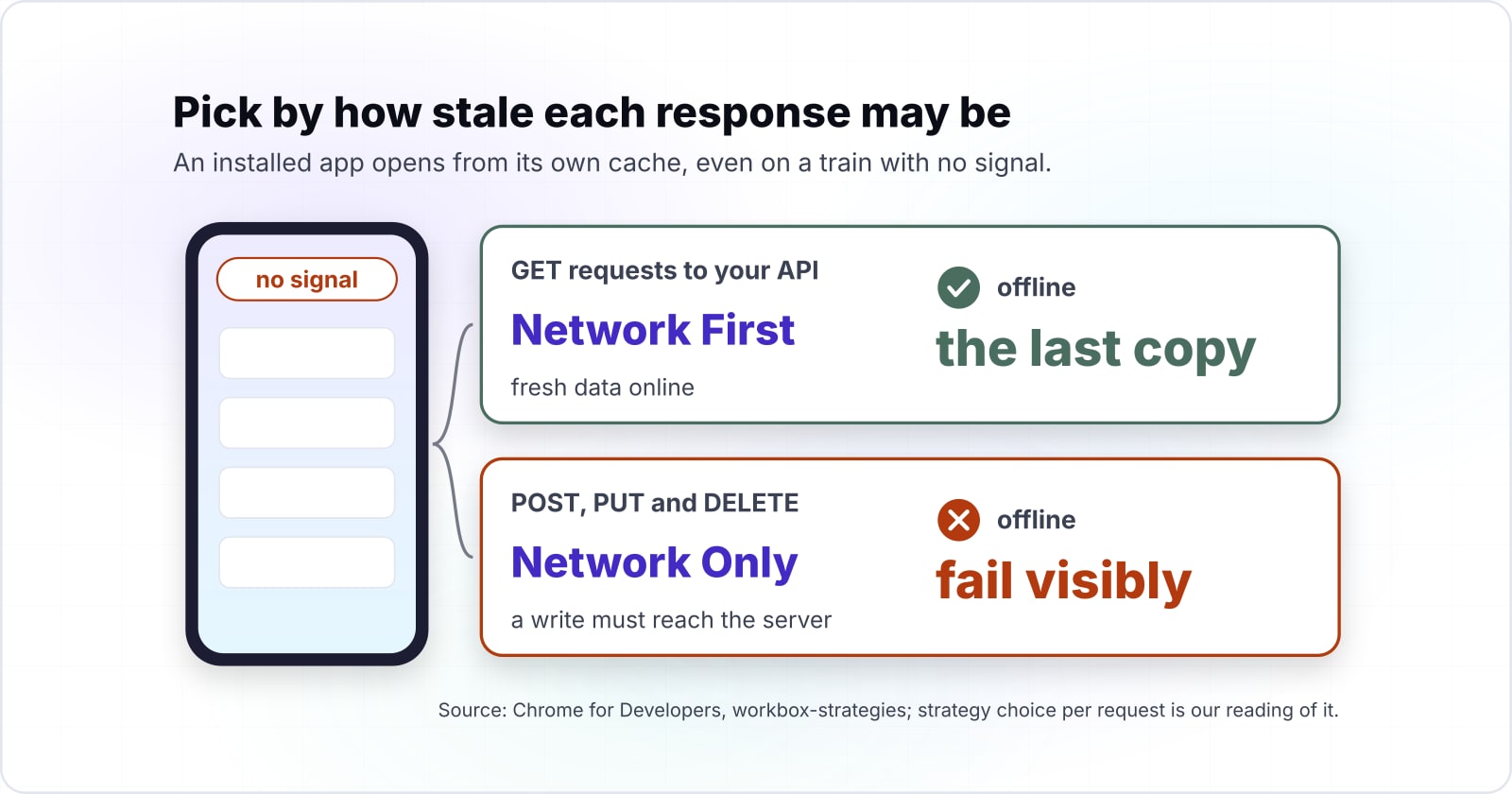
Precache the built app shell, serve fonts and images with Stale-While-Revalidate or Cache First, read API data with Network First, and send anything that writes through Network Only. The rule behind the choice is simple: pick by how stale each response may be.
| Request in a Vite React app | Workbox strategy | Why |
|---|---|---|
| index.html, JS and CSS from the build | precache | hashed files change only on deploy |
| Images | Stale-While-Revalidate | show the cached copy, refresh it behind the scenes |
| Web fonts | Cache First | they almost never change |
| GET requests to your API | Network First | fresh data online, the last copy offline |
| POST, PUT and DELETE | Network Only | a write must reach the server or fail visibly |
Source: Chrome for Developers, workbox-strategies, last updated 27 November 2017; strategy choice per request is our reading of it.
The vite-plugin-pwa generateSW page takes these as runtimeCaching entries. Each row becomes one object with a urlPattern, a handler and options, and each cache gets maxEntries and maxAgeSeconds. That follows the Workbox runtime caching guide, which says "Be aware of storage quotas". Finally, navigateFallbackDenylist keeps /api/ paths out of the app shell fallback.
What happens to open tabs when you deploy a new build?#
A new service worker installs beside the old worker and waits, so an open tab keeps running the old build until the app asks to reload, which is the job of registerType prompt. MDN's service worker guide calls this the default, and notes that a worker can call skipWaiting() to take over at once.
That wait is a feature, because a person halfway through a long form keeps their typing while the new build sits ready. The vite-plugin-pwa prompt for update page says prompt is the default for the registerType option. However, most quick guides switch it to autoUpdate, which reloads the page as soon as the new worker takes over.
In React, the useRegisterSW hook returns needRefresh, offlineReady and updateServiceWorker. So a small ReloadPrompt component shows a message when a new build is waiting. Then it calls updateServiceWorker(true) only when the person clicks Reload. In short, the deploy reaches every tab, but on the person's terms.
The new service worker installs and waits
An open tab keeps running the old build.
useRegisterSW sets needRefresh
With registerType prompt, your component shows a Reload button.
The person clicks Reload
updateServiceWorker(true) swaps in the new build.
Which official docs do you build a React PWA from, and in what order?#
Build from these pages in order: the Vite getting started guide, the vite-plugin-pwa guide, its React page, its generateSW page, and the Workbox strategies reference.
- Vite getting started: the scaffold command, and the Node.js version Vite needs as of October 2026, "20.19+, 22.12+".
- vite-plugin-pwa guide: the install command and the VitePWA plugin options.
- vite-plugin-pwa for React: useRegisterSW, the ReloadPrompt pattern and the type declarations.
- generateSW options: runtimeCaching and navigateFallbackDenylist.
- Workbox strategies: what each handler does on a hit and on a miss.
- web.dev install criteria: the checklist to test the finished build against.
What is the smallest working Vite config for a React PWA?#
The smallest working setup is a VitePWA block in vite.config.ts with a manifest and runtimeCaching, plus a ReloadPrompt component built on useRegisterSW. In TypeScript, five steps turn a fresh Vite React project into an installable, offline, updatable app.
Step 1 scaffolds the app and installs the plugin. The React page says workbox-window must be a dev dependency too.
npm create vite@latest field-notes -- --template react-ts
cd field-notes
npm install
npm install -D vite-plugin-pwa workbox-window
Step 2 replaces vite.config.ts. Put pwa-192x192.png and pwa-512x512.png in the public folder first, since the manifest points at them.
import { defineConfig } from 'vite'
import react from '@vitejs/plugin-react'
import { VitePWA } from 'vite-plugin-pwa'
export default defineConfig({
  plugins: [
    react(),
    VitePWA({
      registerType: 'prompt',
      manifest: {
        name: 'Field Notes',
        short_name: 'Notes',
        start_url: '/',
        display: 'standalone',
        theme_color: '#0f172a',
        icons: [
          { src: 'pwa-192x192.png', sizes: '192x192', type: 'image/png' },
          { src: 'pwa-512x512.png', sizes: '512x512', type: 'image/png' },
        ],
      },
      workbox: {
        globPatterns: ['**/*.{js,css,html,svg,png,woff2}'],
        navigateFallbackDenylist: [/^\/api\//],
        runtimeCaching: [
          {
            urlPattern: ({ request }) => request.destination === 'image',
            handler: 'StaleWhileRevalidate',
            options: {
              cacheName: 'images',
              expiration: { maxEntries: 60, maxAgeSeconds: 60 * 60 * 24 * 30 },
            },
          },
          {
            urlPattern: /^https:\/\/fonts\.gstatic\.com\/.*/i,
            handler: 'CacheFirst',
            options: {
              cacheName: 'fonts',
              expiration: { maxEntries: 10, maxAgeSeconds: 60 * 60 * 24 * 365 },
              cacheableResponse: { statuses: [0, 200] },
            },
          },
          {
            urlPattern: ({ url }) => url.pathname.startsWith('/api/'),
            handler: 'NetworkFirst',
            options: {
              cacheName: 'api',
              networkTimeoutSeconds: 3,
              expiration: { maxEntries: 50, maxAgeSeconds: 60 * 60 * 24 },
            },
          },
          {
            urlPattern: ({ url }) => url.pathname.startsWith('/api/'),
            handler: 'NetworkOnly',
            method: 'POST',
          },
        ],
      },
    }),
  ],
})
Step 3 adds src/pwa.d.ts with one line, /// <reference types="vite-plugin-pwa/react" />, so TypeScript knows the virtual module. Step 4 adds the prompt and renders <ReloadPrompt /> once inside App.
import { useRegisterSW } from 'virtual:pwa-register/react'
export default function ReloadPrompt() {
  const {
    offlineReady: [offlineReady, setOfflineReady],
    needRefresh: [needRefresh, setNeedRefresh],
    updateServiceWorker,
  } = useRegisterSW()
  if (!offlineReady && !needRefresh) return null
  return (
    <div role="status">
      <span>{needRefresh ? 'A new version is ready.' : 'Ready to work offline.'}</span>
      {needRefresh && <button onClick={() => updateServiceWorker(true)}>Reload</button>}
      <button onClick={() => { setOfflineReady(false); setNeedRefresh(false) }}>Close</button>
    </div>
  )
}
Step 5 runs npm run build and then npm run preview. Then open the Application panel in Chrome DevTools, check the manifest and the worker, and go offline to test a reload. The plugin builds both only on a build, unless you turn on its devOptions.
What should you do with an old Create React App PWA?#
The React team deprecated Create React App for new apps on react.dev on 14 February 2025, so an old CRA service worker moves to Vite and vite-plugin-pwa rather than being patched in place. The react.dev post says, "Today, we’re deprecating Create React App for new apps". It points existing apps to a framework or to a build tool such as Vite. The Create React App docs now open with "Create React App is deprecated."
In practice, an older React JS Progressive Web App built on CRA needs a move, not a patch. Instead, move the app to Vite with the react.dev guide to building React from scratch. Then remove the old worker and its register call, and apply the five steps above.
How much can an installed React app store offline?#
MDN's storage guide (January 2026) lets one origin keep up to 60% of total disk in Chromium and in Safari, against 10% or 10 GiB in Firefox best-effort mode. The ceiling is generous on every engine, even for a large app.
Show data table
| Item | Value |
|---|---|
| Chromium (Chrome, Edge) | 60 |
| WebKit browser app (Safari) | 60 |
| Firefox, persistent mode | 50 |
| WebKit embedded web view | 15 |
| Firefox, best-effort mode | 10 |
Chromium and Safari let one origin keep up to 60% of the disk, so an unbounded runtime cache, not the quota, is the limit.
Because the ceiling is that high, the limit an offline React app meets first is its own unbounded runtime cache. When storage does run out, MDN says a write fails with a QuotaExceededError. So the expiration rules from the config are the real budget, not the browser.
Why should offline data live in IndexedDB rather than localStorage?#
MDN's storage guide (January 2026) caps localStorage at 5 MiB per origin, so offline records and API responses belong in IndexedDB or the Cache API. Web Storage is small by design, and it was never meant for app data.
5 MiB
localStorage
10 MiB
Web Storage maximum
localStorage holds 5 MiB per origin, so offline records belong in IndexedDB or the Cache API.
| Option | MiB per origin |
|---|---|
| localStorage | 5 MiB |
| Web Storage maximum | 10 MiB |
IndexedDB and the Cache API, by contrast, share the large origin quota above. So in a React app, keep small settings in localStorage. However, put drafts, queued records and cached lists in IndexedDB. MDN describes it as storage for large, indexed data.
When is a Progressive Web App the wrong tool for a React project?#
A PWA is the wrong tool when the product depends on app store distribution or on device features the browser does not expose; a native or cross-platform app serves those better. Three cases come up most, and each has a better route.
First, if people must find the app in a store, ship a store app. A cross-platform build can still reuse your React skills. Second, if the core feature needs hardware the browser does not offer, build native and keep the web app as the light front door. Third, if most visits are one-off reads, skip the install work and make the site fast. The site optimization guide covers that. If store reach decides it, a mobile app development team can scope the native route.
Where do you go after the app installs and works offline?#
Once the app installs, works offline and updates on a prompt, the next steps are push notifications, search behaviour and overall speed. The Web Push with VAPID guide adds push to the same worker. Then what a PWA does for SEO covers search. For the case of a PWA over a native app, see PWA development in Northern Ireland.
- Push
Push notifications
The Web Push with VAPID guide adds push to the same worker.
- Search
Search behaviour
What a PWA does for SEO covers search.
- Speed
Overall speed
The site optimization guide covers making the site fast.
If the build needs more hands, React developers can take it on. Still, the six pages listed above are enough to build every step here on your own.