Laravel toRawSql(): see the real SQL behind a query, then log every query a request runs
A query full of question marks and a separate array of values is hard to read and easy to get wrong. One method call turns it back into a statement you can paste.
What does Laravel toRawSql() return?#
Laravel toRawSql() returns the query builder's SQL as one string with every binding escaped and embedded, so you see values where toSql() prints question marks.
The query builder docs for Laravel 13.x, read on 6 October 2026, give its two siblings the same job. They "dump the query's SQL with all parameter bindings properly substituted".
What does seeing the real SQL save you?#
One printed statement goes straight into EXPLAIN or a database client, instead of matching each question mark to its binding by hand and getting one wrong.
For example, a query with three bindings prints three question marks and an array of three values. Then you count along both lists, and one slip puts a city where a rating should be. Because the database sees the same statement you see, the plan you read is the plan it runs.
The request was an old one. In pull request 47507, opened on 20 June 2023, the author lists five earlier requests for merged bindings. Then he explains why none were merged: "Each of those generated queries was vulnerable to SQL injection attacks."
How is toRawSql() different from toSql()?#
toSql() returns the SQL with question mark placeholders, getBindings() returns the values as a separate array, and toRawSql() merges the two into one statement with each value escaped.
The Laravel 13.x Builder API reference was read on 6 October 2026. It defines toSql() as "Get the SQL representation of the query." Then it defines getBindings() as "Get the current query value bindings in a flattened array." So toSql() alone is the template, and getBindings() alone is the data.
However, toRawSql() is not a plain search and replace. In pull request 47507, the author says a naive replace "would break on raw calls". For example, a whereRaw() clause with a question mark inside a string trips it. Instead, a small parser skips question marks inside string literals. Then each binding is escaped before it goes into the statement.
The template
toSql() returns the SQL with question mark placeholders.
The values
getBindings() returns the values as a separate array.
Skip literal question marks
Instead, a small parser skips question marks inside string literals.
Escape and embed
Then each binding is escaped before it goes into the statement.
What does the code look like on a real query?#
In this worked example, a ride-hailing app asks for up to 5 available drivers rated at least 4.5 in one city, and the three calls print three different things.
use App\Models\Driver;

// 1. Build the Eloquent query (no database call yet)
$query = Driver::where('city', 'Austin')
    ->where('status', 'available')
    ->where('rating', '>=', 4.5)
    ->limit(5);

// 2. The template and the values, apart
$query->toSql();
// select * from `drivers` where `city` = ? and `status` = ? and `rating` >= ? limit 5
$query->getBindings();
// ['Austin', 'available', 4.5]

// 3. One statement with the values embedded
$query->toRawSql();
// select * from `drivers` where `city` = 'Austin' and `status` = 'available' and `rating` >= 4.5 limit 5
The output shown is the MySQL form, and other databases quote names their own way. Also, the limit of 5 is written into the SQL, so it never appears as a binding. A city with a quote in its name, such as O'Fallon, is where the escaping earns its keep.
What toRawSql() did to your values
Nothing in the city needs escaping, so the value goes in between two quotes as typed.
Illustrative example in the MySQL form; method behaviour from the Laravel 13.x Builder API reference, read 6 October 2026.
- $query->toSql()
select * from `drivers` where `city` = ? and `status` = ? and `rating` >= ? limit 5- $query->getBindings()
['Austin', 'available', 4.5]- $query->toRawSql()
select * from `drivers` where `city` = 'Austin' and `status` = 'available' and `rating` >= 4.5 limit 5
How do you print a Laravel query with its bindings on older versions?#
Before toRawSql(), the routes were toSql() with getBindings(), a DB::listen closure, or DB::enableQueryLog() then DB::getQueryLog(), each returning the SQL and the values apart.
The Connection API reference for Laravel 13.x was read on 6 October 2026. It lists enableQueryLog() to "Enable the query log on the connection." Then it lists getQueryLog() to "Get the connection query log." So you turn the log on, run the code, then read it back. However, a naive string replace of the question marks breaks on literals that contain one. Meanwhile, the same page lists getRawQueryLog(), the "query log with embedded bindings", on versions that ship it.
In the pull request thread of 23 June 2023, one reviewer offered a one-line fallback. It pairs str_replace_array() with getBindings() and toSql(). However, the author replied that "there are edge cases that will fail on some queries".
The path from request to release was short. In the Laravel framework repository, pull request 47507 opened on 20 June 2023 and merged 8 days later. Then release v10.15.0 shipped on 11 July 2023, 21 days after it opened.
Show data table
| Item | Value |
|---|---|
| Merged into 10.x | 8 |
| Released in v10.15.0 | 21 |
Pull request 47507 merged 8 days after it opened and shipped in v10.15.0 21 days after it opened.
What do ddRawSql() and dumpRawSql() do?#
dumpRawSql() prints the query with its bindings substituted and lets the request continue, while ddRawSql() prints the same string and then stops the request.
DB::table('users')->where('votes', '>', 100)->dumpRawSql();

DB::table('users')->where('votes', '>', 100)->ddRawSql();
So use dumpRawSql() inside a loop or a test you want to finish. Use ddRawSql() when the first query is the only one you care about.
How do you log every query a request runs?#
Register a DB::listen closure in a service provider's boot method, and each query hands you its SQL, bindings, time and a toRawSql() call on the event.
The Laravel 13.x database docs were read on 6 October 2026. Of the listen method, they say "This method can be useful for logging queries or debugging." Their example reads $query->sql, $query->bindings and $query->time. It also calls $query->toRawSql() on the QueryExecuted event.
// app/Providers/AppServiceProvider.php
use Illuminate\Database\Events\QueryExecuted;
use Illuminate\Support\Facades\DB;
use Illuminate\Support\Facades\Log;

public function boot(): void
{
    if ($this->app->environment('local')) {
        DB::listen(function (QueryExecuted $query) {
            Log::debug($query->toRawSql(), ['ms' => $query->time]);
        });
    }
}
Because the listener sees every query, it also catches the ones a package or a queued job runs. The same docs add whenQueryingForLongerThan(), which calls you back when one request spends too long in the database.
Can you run the SQL that toRawSql() prints?#
You can paste it into a database client while debugging, because the framework escapes every binding first, but application code should keep sending values as bound parameters.
Pull request 47507 says "any binding is escaped before being injected into the SQL query". Its author also writes that a generated query should paste into any query tool and run. PostgreSQL operators that contain a question mark are decoded again, so they work too.
Which query debugging tool fits which moment?#
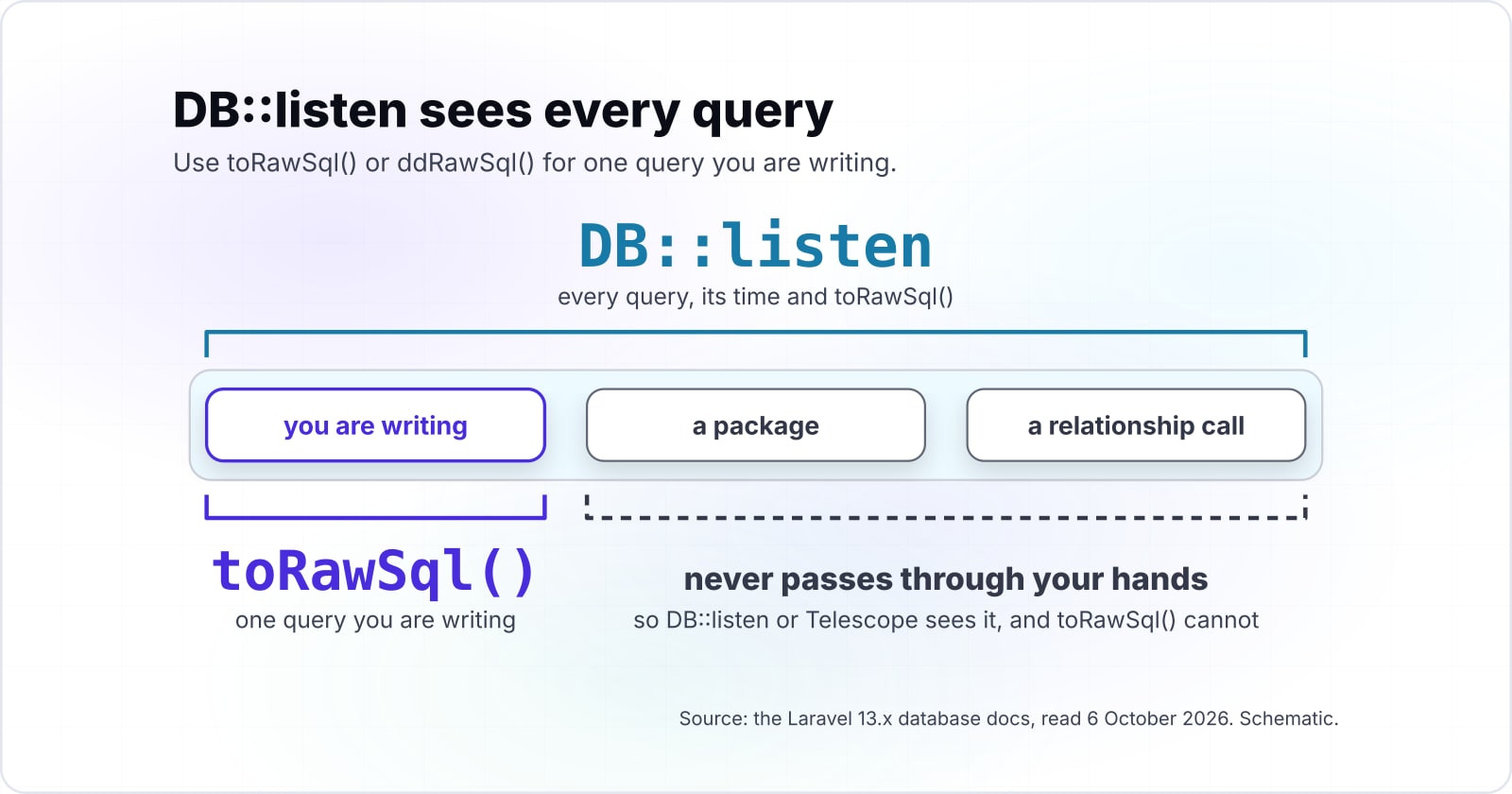
Use toRawSql() or ddRawSql() for one query you are writing, DB::listen or the query log for one request or job, and Laravel Telescope or Laravel Debugbar to browse every query.
| Tool | What it shows | Bindings filled in | Where it runs | When to use it |
|---|---|---|---|---|
| toSql() | the SQL with question marks | no, see getBindings() | in code, before the query runs | checking the shape of a query |
| toRawSql() | one SQL string | yes, escaped | in code, before the query runs | pasting one query into EXPLAIN |
| dumpRawSql() / ddRawSql() | the same string, printed | yes, escaped | in code; ddRawSql() stops the request | a quick look while you build |
| DB::listen | every query, its time and toRawSql() | yes, through toRawSql() | a service provider, after each query | logging a request or a job |
| Query log | queries since enableQueryLog() | getRawQueryLog() only | the connection, after queries run | a test or a script |
| Laravel Telescope / Laravel Debugbar | every query a request ran, with timing | yes, bindings recorded with each query | a dashboard or a toolbar, aimed at local development | browsing many requests |
Source: Laravel 13.x query builder, database and Telescope docs, the Builder and Connection API references, and the Laravel Debugbar README, read 6 October 2026.
The Laravel 13.x Telescope docs were read on 6 October 2026. They say its query watcher "records the raw SQL, bindings, and execution time for all queries". Also, it tags queries over 100 milliseconds as slow, and the docs show the threshold set to 50. Meanwhile, the Laravel Debugbar README lists a QueryCollector that shows "all queries, including binding + timing". Other packages, and your database's own query log, do similar work. The pull request thread itself points to "query logs for your RDBMS of choice".
100 ms
Default slow threshold
50 ms
Threshold in the docs example
Telescope tags a query slow at 100 milliseconds by default, and the docs show the threshold set to 50.
| Option | milliseconds |
|---|---|
| Default slow threshold | 100 ms |
| Threshold in the docs example | 50 ms |
When is toRawSql() the wrong tool?#
toRawSql() is the wrong tool for queries you did not build, for watching production, and for producing SQL to execute, where a listener, Telescope or bound parameters fit better.
First, a query inside a package or a relationship call never passes through your hands. So DB::listen or Telescope sees it, and toRawSql() cannot. Second, production needs a threshold, not a dump. For instance, whenQueryingForLongerThan() alerts on slow requests without printing every statement. Also, the Laravel Debugbar README warns, "Use the DebugBar only in development." Finally, never pass Laravel toRawSql() output back into DB::raw() for live code. The PHP manual's advice on prepared statements is the safer route there.
Which official pages should you build from?#
Build from the query builder Debugging section first, then the database page on listening for query events, then the Builder and Connection API references for every method name.
- First
Query builder, Debugging
- Then
Database, listening for query events
- Then
Builder API
- Then
Connection API
- Then
Telescope
- Query builder, Debugging: dd(), dump(), dumpRawSql() and ddRawSql().
- Database, listening for query events: DB::listen, QueryExecuted and whenQueryingForLongerThan().
- Builder API: toSql(), getBindings() and toRawSql().
- Connection API: enableQueryLog(), getQueryLog() and getRawQueryLog().
- Telescope: the query watcher and its slow option.
Where do you go once the SQL is visible?#
Once the statement is visible, the next work is usually making it fast, so the routes below cover Laravel performance, MySQL bottlenecks, queued jobs and hiring help.
- Laravel performance optimization, for N+1 queries, eager loading and caching.
- Common MySQL performance bottlenecks, for reading EXPLAIN on the statement you just printed.
- Laravel queues at scale, for jobs whose queries only a listener sees.
If you want a second pair of hands, Atyantik can match you with a Laravel software engineer. For a wider code base, there is a PHP software engineer route too. Still, the Laravel docs above cover every call here, and for most query bugs they are enough on their own.