The design handoff checklist: what the file holds, who signs it, and how the build is checked
Most handoff lists end the moment the file is shared. The handoffs that hold up add two more gates after that moment: a named sign-off before code, and a measured comparison once the screen is built.
What belongs on a design handoff checklist?#
A design handoff checklist lists what the file must hold before code starts, names who signs it as ready to build, and says how the built screen is checked against it. Most published lists cover only the first part. They describe what the designer prepares and then stop when the link is shared.
However, a design handoff to developer teams fails in three places, not one. First, the file can be missing a state, so a software engineer guesses it. Second, no named person owns the decision that the file is ready. As a result, work starts on a frame that is still moving. Third, nothing compares the built screen with the file, so drift shows up in a demo months later.
So the checklist below has three gates. The contents list comes first, then the sign-off, then the check. Figma's Guide to Dev Mode covers the first two gates inside the tool. Playwright's visual comparisons docs cover the third, outside it.
What does a complete handoff save the team?#
Figma's pricing page, read in October 2026, lists a Dev seat at $12 to $35 a month, the cost of a software engineer reading the file instead of guessing it. That seat opens Dev Mode, where the file's specs, generated code and assets can be read directly.
Show data table
| Item | Value |
|---|---|
| Professional | 12 |
| Organization, billed annually | 25 |
| Enterprise, billed annually | 35 |
A Dev seat costs $12 to $35 a month, depending on the plan.
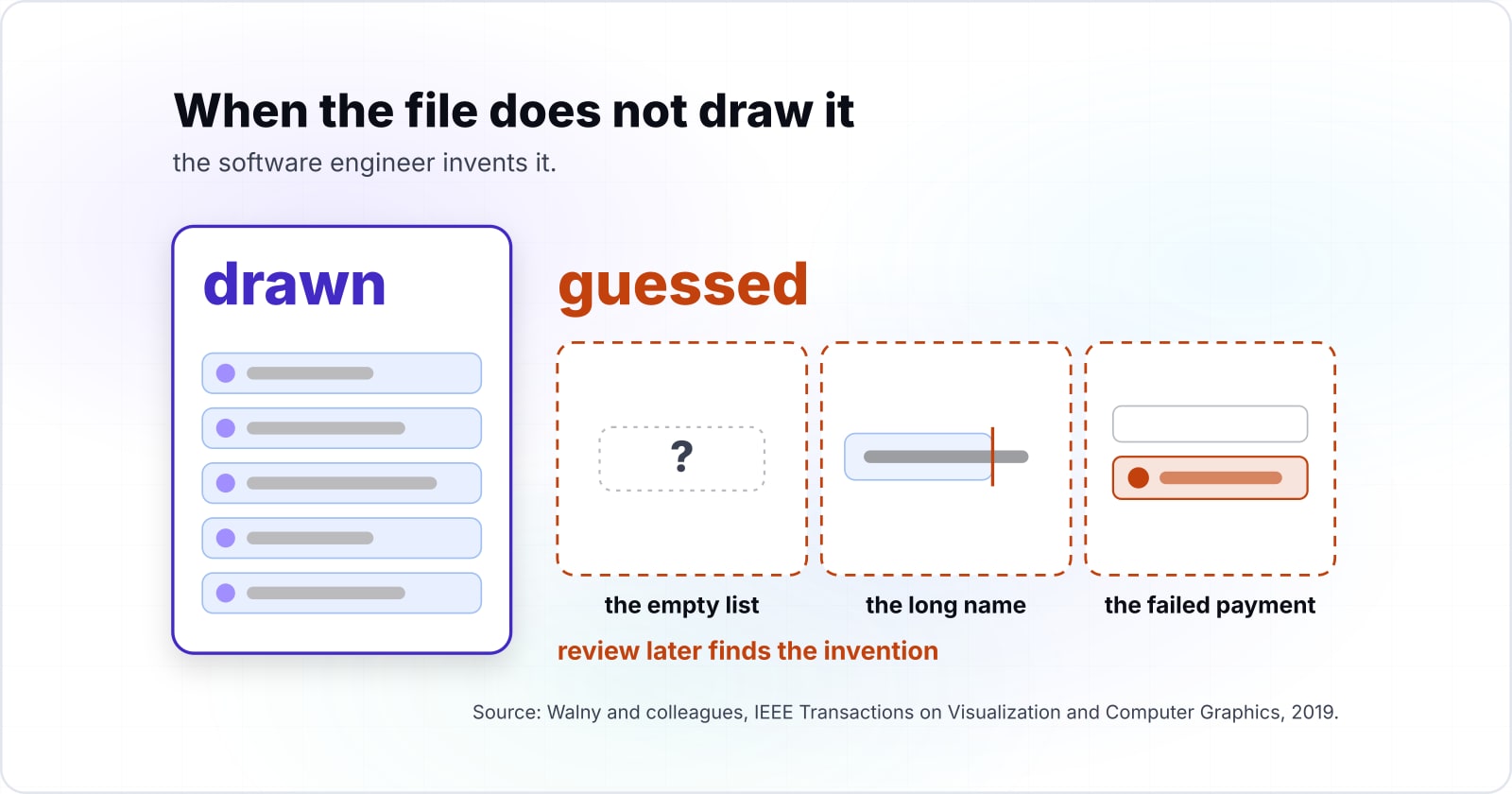
The other side is harder to price, and it is the guessed case. Walny and colleagues wrote a 2019 paper for IEEE Transactions on Visualization and Computer Graphics. It cites earlier work on "difficulties in design handoff, including articulating edge cases". An edge case is the empty list, the long name, the failed payment. When the file does not draw it, the software engineer invents it, and review later finds the invention.
In practice, the preparation is mostly drawing states that already exist in the designer's head. Because each guessed state costs a review cycle and a fix, the drawing is the cheaper half. So the trade is simple for a product owner to report. A known seat and some drawing time sit against an unknown number of rework loops.
What must the design file contain before code starts?#
Before code starts, the file holds named frames, every state of every interactive part, a frame for each breakpoint, real copy including errors, and exports set to their final format. The test is plain. A software engineer can build every state and breakpoint without asking, because each one is drawn rather than described.
Here is the contents list, with who owns each item and how it is checked.
| Item | What "done" means | Owner | How it is checked |
|---|---|---|---|
| Named frames | Each frame and layer carries the name the code will use | Designer | The name shows at the top of Dev Mode's inspect panel |
| Every state | Default, hover, focus, pressed, disabled, loading, empty and error are drawn | Designer | One frame per state, not a note saying "similar" |
| Breakpoints | A frame for each layout width the product supports | Designer | Each state exists at each width |
| Tokens bound | Colour, type and spacing use variables, not typed values | Designer | Inspect shows a variable name, not a hex code |
| Real copy | Longest real strings, error messages and empty-state text | Designer and product owner | No placeholder text left in a ready frame |
| Accessibility notes | Contrast pairs, focus order, target size, error text | Designer | Annotations attached to the frame |
| Exports | Icons and images set to their final format and size | Designer | Assets download from Dev Mode |
Illustrative checklist; it carries no measured figures.
Then build the states as a grid. Put each interactive part in a row and each state in a column, and repeat the grid at each breakpoint. Every empty cell is a question a software engineer would otherwise answer alone.
Also, name layers the way the code names components. Figma's guide says the selected layer's name "is displayed at the top of the inspect panel". So a frame called "Frame 3" hands over a puzzle. But "Checkout / Error / Mobile" hands over an answer.
| State | Button, mobile | Button, desktop | Form field, mobile | Form field, desktop |
|---|---|---|---|---|
| Default | Drawn | Drawn | Drawn | Drawn |
| Hover | Drawn | Drawn | Drawn | Drawn |
| Focus | Drawn | Drawn | Drawn | Drawn |
| Disabled | Drawn | Drawn | Drawn | Drawn |
| Loading | Drawn | Drawn | Drawn | Drawn |
| Error | Drawn | Drawn | Drawn | Guessed in the build |
| Empty | Drawn | Drawn | Drawn | Drawn |
Why bind tokens as Figma variables instead of typing raw hex and px values?#
A colour or spacing bound to a Figma variable reaches the code as a token name, while a typed hex or px value reaches it as a number someone must match by eye. Figma's variables overview describes variables as values that "can change in value depending on the context of a design", such as light and dark modes.
Because a name can be checked and a number can only be compared, binding changes the whole handoff. The question stops being "is this blue close enough" and becomes "does this name exist". Once the code holds a written list of token names, a script can fail any name not on it.
Our own site works this way. A written token contract in a file called DESIGN.md generates the token values the code uses. One check fails any var() reference that does not resolve to a defined token. On 5 October 2026 it reported zero undefined references. A second check, the component style ratchet, lets the count of raw hex and px values only fall.
41
Component style files still carrying raw hex or px values
167
Raw hex or px values left in them
Our own token checks found 167 raw values in 41 style files on 5 October 2026.
| Option | counts on 5 October 2026 |
|---|---|
| Component style files still carrying raw hex or px values | 41 |
| Raw hex or px values left in them | 167 |
The takeaway from those two numbers is honest rather than flattering. Our own token checks found 167 raw values in 41 style files on 5 October 2026. That is on a site built from one design source. So a team does not need a clean start to begin. Instead, it needs a ratchet that refuses new raw values and lets old ones fall file by file.
Which accessibility notes does the file owe the build?#
W3C's WCAG 2.2 sets a 4.5 to 1 contrast floor for text and 3 to 1 for interface parts, so the file states each pair and marks focus order and target sizes. WCAG (the Web Content Accessibility Guidelines) is the standard most accessibility audits test against.
Show data table
| Item | Value |
|---|---|
| text, 1.4.3 Contrast (Minimum), AA | 4.5 |
| large-scale text, 1.4.3, AA | 3 |
| user interface components and graphics, 1.4.11 Non-text Contrast, AA | 3 |
Text needs 4.5 to 1; large text and interface parts need 3 to 1.
These notes belong in the file because only the designer can make the decisions behind them. First, each text and background pair gets its ratio, so a nearby colour is never picked by eye later. Second, focus order is numbered on the frame. Otherwise the tab order follows whatever the build happens to produce. Third, small targets are marked. WCAG 2.2 says "The size of the target for pointer inputs is at least 24 by 24 CSS pixels", with exceptions. Finally, error text is written out in full.
Figma's annotations guide says a Full seat with edit access can add annotations. A Full or Dev seat can view them. So the notes live on the frame, not in a chat thread. The full accessibility treatment for a design file is in our post on WCAG for UI and UX design.
Who signs a design as ready to build, and against what?#
The designer marks a frame Ready for dev, a front-end software engineer confirms it against the checklist, and the product owner signs the scope, so three names sit on one status. The status alone is not a sign-off. It records that someone clicked a button, not what was checked.
Figma's guide states that "All plans that provide Dev Mode include the Ready for dev status." The status can be set on components, frames and sections. An extra Completed status exists only on Organization and Enterprise plans. Meanwhile, the ready for dev view, on those same two plans, lists every design with a status and shows when each was last updated.
So the design handoff Figma supports gives you the place to record a sign-off, and the team supplies the rule. Here is a rule that holds up:
- The designer runs the contents list and sets Ready for dev only when every row passes.
- A front-end software engineer opens the frame in Dev Mode and confirms each state and breakpoint can be built without a question. Any question goes back as an annotation, and the status comes off.
- The product owner confirms the frame matches the agreed scope and copy.
- The status note names all three people and the design handoff checklist version they used.
A Figma Dev Mode handoff then has a meaning anyone can audit. If the frame changes after sign-off, the ready view shows the newer update time, and the three names confirm again.
Designer
Runs the contents list and sets Ready for dev only when every row passes.
Front-end software engineer
Opens the frame in Dev Mode and confirms each state and breakpoint can be built without a question.
Product owner
Confirms the frame matches the agreed scope and copy.
Status note
Names all three people and the design handoff checklist version they used.
How is the built screen checked against the file?#
In this worked example, a 1440 by 900 frame compared at a threshold of 0.1 fails only at 129,600 differing pixels, so a pixel diff needs token checks beside it. The numbers come from the defaults of our own pixel-diff check, as recorded on 5 October 2026.
That check runs Playwright and pixelmatch against a frame exported from the site's Figma source. It runs on demand in a browser, after a person exports the frame. So it is a check we can run, not a gate every page passes before shipping.
Our check locks desktop at 1440x900 and mobile at 375x812, the sizes its documentation prints. The verdict threshold defaults to 0.1 of compared pixels, and a result equal to the threshold fails.
Now apply the arithmetic to our check's defaults, as recorded on 5 October 2026. A desktop frame compares 1,296,000 pixels, so at 0.1 the check fails at 129,600 differing pixels. On the same defaults, a mobile frame compares 304,500 pixels and fails at 30,450. For example, say a full-width 48 px band renders in the wrong colour. That band is 1440 by 48, or 69,120 pixels, and the check still passes.
Where your pixel check fails
Set the frame size, the verdict threshold and the height of one full-width band in the wrong colour; it computes the pixels compared, the failure line and the band's size.
Differing pixels at which it fails
129,600
- Pixels compared
- 1,296,000
- Pixels in the wrong band
- 69,120
- Room left after the band
- 60,480
Arithmetic on our check's defaults recorded on 5 October 2026, not a measurement.
Show data table
| Item | Value |
|---|---|
| desktop frame 1440 by 900: pixels compared | 1,296,000 |
| desktop: differing pixels at which the check fails | 129,600 |
| mobile frame 375 by 812: pixels compared | 304,500 |
| mobile: differing pixels at which the check fails | 30,450 |
| one full-width 48 px band on desktop, 1440 by 48 | 69,120 |
The 48 px band's 69,120 pixels sit well short of the 129,600 failure line.
So the two kinds of check cover each other. A pixel diff catches layout that moved: a missing row, a shifted column, a wrapped heading. Token checks catch values that drifted: the wrong blue, a spacing step typed by hand. Therefore a threshold should be stated in pixels, not as a vague share. Playwright's docs say it "uses the pixelmatch library". Its maxDiffPixels option is a count of pixels you can reason about.
Which pages do you build the handoff checks from?#
Three official pages carry the build: Figma's Dev Mode guide for statuses, Figma's variables overview for tokens, and Playwright's snapshot docs for the pixel comparison. Read them in this order, because each check depends on the one before it.
- Figma's Guide to Dev Mode: the Ready for dev status, the inspect panel and asset downloads, which carry the sign-off.
- Figma's overview of variables, collections and modes: how colour and number variables bind, which makes tokens checkable by name.
- Playwright's visual comparisons:
toHaveScreenshot, themaxDiffPixelsoption and sharing it indefineConfig, which runs the pixel check.
| Page | What it gives | Check it builds |
|---|---|---|
| Figma, Guide to Dev Mode | The Ready for dev status, the inspect panel and asset downloads | The sign-off |
| Figma, overview of variables, collections and modes | How colour and number variables bind | Tokens checked by name |
| Playwright, visual comparisons | toHaveScreenshot and the maxDiffPixels option | The pixel check |
What is the smallest pixel check to start with?#
The smallest check is one Playwright test that loads the built page and compares it with a stored reference image under a maxDiffPixels limit. Playwright writes the reference on the first run. To compare against the file instead, replace that image with the frame exported from Figma. The export must match the browser window's size.
// tests/checkout.spec.ts
import { test, expect } from '@playwright/test';

test('checkout matches the handoff frame', async ({ page }) => {
  await page.goto('https://staging.example.com/checkout');
  // The reference is stored in the checkout.spec.ts-snapshots folder.
  await expect(page).toHaveScreenshot('checkout.png', { maxDiffPixels: 100 });
});

// playwright.config.ts: share the same limit across every test.
import { defineConfig } from '@playwright/test';

export default defineConfig({
  expect: {
    toHaveScreenshot: { maxDiffPixels: 100 },
  },
});
Run it with npx playwright test. When the file changes on purpose, refresh the reference with npx playwright test --update-snapshots. The maxDiffPixels: 100 value is copied from Playwright's own example, so treat it as a start, not a recommendation. Also, Playwright warns that rendering varies by operating system and hardware. So run the check where the reference was made.
What happens when the file and the code disagree?#
When file and code disagree, the written token contract decides, one side changes on record, and the check that found the gap is the one that must pass again. Without that rule, the person who noticed the gap decides, and the answer changes with whoever is in the room.
On our own site, the contract is a written file, DESIGN.md. The check that guards raw values names it as the source of truth. The token values in code are generated from that contract, so a value cannot be fixed in code alone. Instead, the contract changes first, and both the file and the code follow it.
In practice, the rule has three branches. If the file is right and the code drifted, the code changes and the failing check reruns. When the code is right because the file missed a state, the designer draws the state and the sign-off repeats. And when the contract itself is wrong, it changes first, with the reason written beside it. In every branch, the decision leaves a record that the next person can read.
When is a handoff checklist the wrong tool?#
First, the drifting system. Say the same button looks different in three frames, and the code holds four versions. Then a better checklist only records the mess. Our own count of 167 raw values shows how slowly that kind of debt falls even under a ratchet. When the parts themselves disagree, rebuild the design system. Then file and code share one set of parts.
Second, the embedded designer. When a designer sits in the team's daily work, a formal handoff every hour slows everyone down. Instead, shared review of the frame and the pull request does the same job with less ceremony. Our post on dedicated teams and staff augmentation covers how a designer joins and extends a team.
Third, a throwaway prototype. If the screen will be rebuilt next month, a quick walkthrough beats a full sign-off.
Where do you go from the checklist?#
Start with the contents list on the next file, add the three-name sign-off, then run one pixel check and the token checks on the build. One file and one screen are enough to show where your design handoff checklist has gaps.
For accessibility in depth, read WCAG for UI and UX design. Then read colour contrast for accessibility and keyboard navigation and focus management. Who prepares a file to this standard? That is the work of UI and UX design, and designers you can hire hand off this way. Still, the Figma and Playwright pages linked above are enough to run every step on your own.