Cloudflare AI form submission email routing: classify and automate
Every form submission carries an intent a small model can read. This guide routes each one to the right inbox with Workers and text classification, at a volume a human triage team could not afford to sort.
How fast can you respond?#
Respond to sales leads in minutes instead of hours. Support issues get solved faster. Billing questions get handled quickly. Partnership proposals reach leadership before interest fades. Avoid the 8 percent escalation risk per hour of delay. Feedback reaches product teams faster.
What are the alternatives?#
Before Cloudflare AI form submission email routing, three old choices governed form handling.
First choice: route everything to one inbox. All form submissions go to a single email address and get sorted manually. Decisions happen about which submissions go to sales, which to support, which to billing. But emails pile up in arrival order, not priority order. Critical security reports hide behind casual feature suggestions. Sales leads wait in the queue while lower-priority messages get answered first. Support issues arriving at 2 AM do not get seen until morning, so they escalate before response arrives. The manual sorting becomes the bottleneck. This approach loses priority signal and loses speed because every submission waits for human review.
Second choice: add a category dropdown to the form. Add a dropdown to the form asking for category: "What is your inquiry about: Sales, Support, Billing, Partnership, Other?" But this puts the burden on form submitters and they misclassify themselves. Cancellation requests get tagged "Billing" instead of "Support". Partnership inquiries get tagged "Sales". Half of self-categorizations are wrong. Manual review is still needed because self-categorized submissions cannot be trusted. Fixing misclassified submissions takes time and the system does not actually save you work.
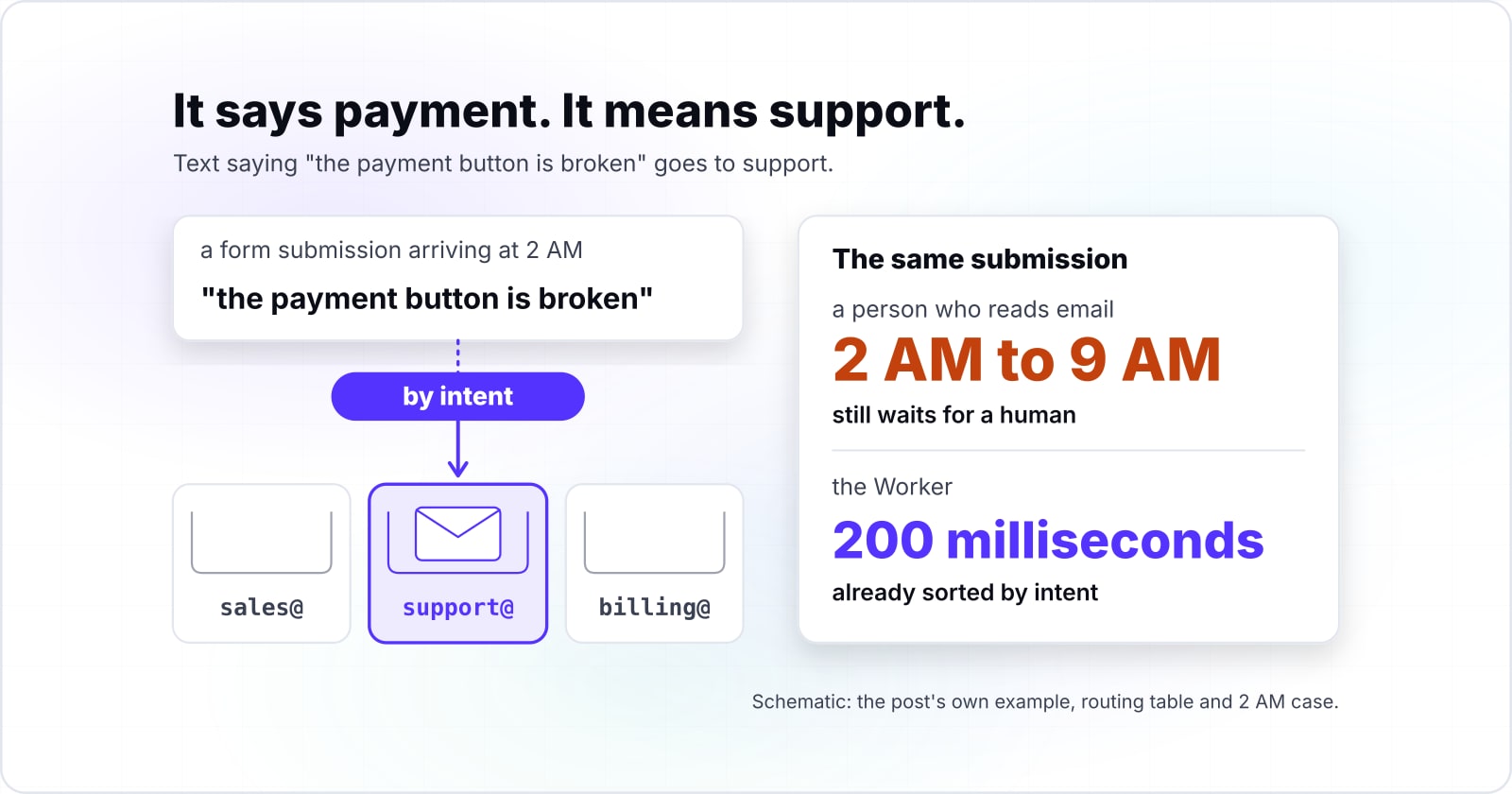
Third choice: hire someone full-time for triage. You employ a person whose only job is to read form submissions and forward them to the right team. That person checks email every few minutes at best, so each submission waits before being routed. A form submission arriving at 2 AM does not get seen until 9 AM. By then the submitter has moved on or contacted your competitor. You pay a six-figure salary annually to a person who reads email and forwards it. The job is necessary but expensive, and it does not make responses faster because every submission still waits for a human to classify it. One triage person can handle about 50 to 100 submissions per day depending on complexity. With 10,000 submissions per month, you need at least five people. Their combined salary, benefits, and overhead reaches $300,000 to $400,000 per year. Add training, management time, and the cost of replacements when people leave, and the true cost is much higher.
Cloudflare AI form submission email routing solves all three problems. You do not manually read submissions. You do not ask your form users to classify themselves. You do not hire someone for triage. Instead, you build a Worker that reads what users submitted and routes based on the actual intent expressed in their words. Text saying "the payment button is broken" goes to support. Text asking "how much does the enterprise plan cost" goes to sales. Text proposing "we are thinking of a partnership" goes to partnerships. The routing happens in 200 milliseconds, at the edge, with no human in between. Your team receives submissions already sorted by what matters.
How does a Worker classify form submissions at the edge?#
Cloudflare Workers intercepts your form submission at the edge. The request reaches the edge server closest to you. A Worker running on that server receives the form data right away. Your Worker extracts the text: the message, subject, and description. It sends this text to Workers AI with your intent list. Workers AI runs the model on Cloudflare's global network. It never leaves the edge. The model returns scores for each intent. The highest score wins. Your Worker routes based on that score. All of this takes under 100 milliseconds. The model runs at the edge, close to you. No backend round-trip needed.
To use Workers AI, bind it in wrangler.toml. Declare which model to use. Cloudflare hosts the model. When your Worker calls it, Cloudflare runs it on the nearest edge server. No API call to another service. No latency tax. Just direct inference at the edge.
The key advantage is speed. A traditional machine-learning API adds steps. The browser sends to your server. Your server sends to a classification API. The API processes and returns. Your server processes the response. Then the email sends. Each step adds latency. With Workers AI, it all happens in one step at the edge. Your submission takes 100 milliseconds from form to routed. Without Workers AI, it takes 1,000 milliseconds or more. That speed difference prevents customer frustration.
How do you turn classification results into email routing decisions?#
Once the classifier returns an intent, use a simple routing table. Map each intent to an email address. If the model says "support", send to support@company.com. If it says "sales", send to sales@company.com. If it says "billing", send to billing@company.com. Store this table in your Worker code. Or load it from configuration. If the score falls below your threshold, send to a fallback inbox. Human reviewers handle uncertain submissions.
The Cloudflare Email Service binding handles delivery. You call EmailService.send with the recipient, sender, subject, and body. The Email Service respects standard email rules. It adds DKIM signatures. It aligns SPF records. It handles bounces. Your email reputation stays clean. Your messages land in inboxes, not spam. Email authentication matters. It keeps your sender reputation clean. Without DKIM and SPF, email providers treat routed submissions as suspicious. Email Service handles this automatically. Every routed submission reaches the inbox.
The entire pipeline runs in the Worker. All on Cloudflare's edge. The submission comes from the browser. Your Worker gets it right away. The classifier runs on the same edge server. Routing happens in memory. The email goes through Email Service. No call to your backend. No database lookup. No third-party API call. The submission goes from form to email in under 200 milliseconds. Everything runs at the edge, close to you. No extra network hops. This is why edge routing wins over backend systems.
Which Cloudflare services do you need to build this architecture?#
Build your form classification system from three services. Workers handles logic. Workers AI runs the model. Email Service sends the email. Each service is independent. You can reuse them in other projects.
First, Cloudflare Workers runs the compute layer. Your Worker receives the submission. It extracts the message. It calls the classifier. It looks up the destination email. It sends through Email Service. Your Worker logic is yours to write. You own the business rules. You own the routing decisions. This is where your custom logic lives.
Second, Workers AI is the inference engine. It runs AI models. The service executes the text classification model inside your Worker. No additional API calls needed. You pass it the message and intent list. Workers AI returns a score for each intent. You read the highest score. That becomes your routing decision. The model runs on Cloudflare's global network. Inference happens close to you with minimal latency.
Third, Cloudflare Email Service handles the final delivery. It sends your message with proper email authentication. It adds DKIM signatures. It aligns SPF records. It handles bounces. Email authentication keeps your sender reputation clean. Your messages land in inboxes, not spam. Your team gets the submissions they need.
Each service works independently. You can use Workers for API proxies, image resizing, or request filtering. You can use Workers AI for image recognition, content moderation, or language detection. You can use Email Service for notifications, newsletters, or transaction emails. Together for this project, they form a complete system. It classifies and routes every submission in milliseconds.
What is the minimum code to get a working form classification Worker?#
A working Worker in TypeScript takes three steps. First, declare your bindings in wrangler.toml: the Workers AI text-classification model and the Email Service binding. Second, write the form handler that receives the submission and calls the classifier. Third, write the routing logic. Here is a complete working example:
export default {
  async fetch(request, env) {
    const formData = await request.json();
    const submission = formData.message;

    // Use a text-classification model from the Workers AI catalog
    const classification = await env.AI.run('model-id-from-catalog', {
      text: submission
    });

    const intent = classification[0].label;

    const routing = {
      'support': 'support@company.com',
      'sales': 'sales@company.com',
      'billing': 'billing@company.com',
      'partnerships': 'partnerships@company.com'
    };

    const destination = routing[intent] || 'info@company.com';

    await env.EmailService.send({
      to: destination,
      from: 'forms@company.com',
      subject: `New submission: ${intent}`,
      text: submission
    });

    return new Response('routed', { status: 200 });
  }
};
This example demonstrates the pattern using a placeholder model ID. The Workers AI catalog includes pre-trained text-classification models ready to use. Choose one from the catalog and replace 'model-id-from-catalog' with the actual model ID. The code parses the form data, extracts the message, and sends it to the classifier. The classifier returns intent labels from your chosen model. Start with a pre-trained model to test the full flow. Then upgrade to a custom model trained on your own data.
In production, fine-tune a classifier on your own submission types. Include sales inquiries, support issues, billing questions, partnership proposals, and feedback. Cloudflare AI supports custom models. You gather training data from your historical submissions. You label each one with the correct intent. You fine-tune the model on this labeled data. The model learns what your submissions sound like. A training set of 100 to 200 labeled examples per intent is enough to start. As you collect more submissions, retrain to improve accuracy.
Once your model is trained, reference it in the env.AI.run call. Use it instead of distilbert. The code structure stays the same. Parse form data, call the classifier, check the routing table, and send via Email Service. Three steps, all at the edge. All included in your Workers quota. Your custom classifier learns your submission language and patterns. It classifies future submissions with accuracy tailored to your business. A model trained on your data is far more accurate than a pre-trained model.
When does Cloudflare AI form submission email routing classification get the intent wrong?#
Classification works reliably for clear text but fails on vague or ambiguous submissions, so set a confidence threshold and route uncertain ones for human review. Every classifier makes mistakes on edge cases where meaning is unclear. Know when classification is reliable for your volume and what to do when it fails. Text that is vague or ambiguous can fit multiple categories. A support issue written as a feature request ("you should add a button to do X because mine keeps breaking") might confuse the model. A sales inquiry written casually ("hey, can we talk about integrating this?") might not score high on sales signals. A billing question mixed with account access ("I cannot log in and my last invoice had the wrong amount") might be classified as support when it is really billing.
Most classifiers return a confidence score. The score is between 0 and 1. A score of 0.95 means "very likely this intent". A score of 0.51 means "barely winning". If the score is below your threshold, send to human review. Do not guess. A review queue catches uncertain submissions and routes them manually:
if (classification[0].score < 0.7) {
  destination = 'review@company.com';
}
Set your confidence threshold based on routing cost. A low-stakes inquiry routed wrong gets sorted quickly by humans. A security vulnerability routed wrong could sit unread for days. That becomes a real incident. A payment question routed to support instead of billing means a customer waits. Billing could fix it fast. Use a high threshold (0.85 or higher) for high-stakes submissions. Use a low one (0.6 or lower) for everything else. Different submission types need different thresholds. Base them on risk profile.
Cloudflare AI form submission email routing works best with three conditions. First, you have volume. With 10,000 submissions per month, you can identify patterns. With 100 submissions per month, you might not have enough data. Second, submissions contain clear signals. Text like "the code is broken" is unambiguous. Text like "I have a question" is vague. The model struggles with vague text. Third, you can tolerate occasional misroutes. Even the best classifier makes mistakes. You need a team to see misrouted submissions. A well-designed threshold makes the review queue small. Humans stay out of the hot path for urgent submissions.
This approach works less well in three opposite situations. If you have very few submissions, your training data is thin. The classifier will struggle. If submissions are consistently vague or ambiguous, the model has nothing to classify. If you cannot tolerate any mistakes, this approach is too permissive. Choose your threshold to match your tolerance. If you need perfect accuracy, add human review. If you need speed, use a lower threshold. Let automation handle more volume.
What does Cloudflare AI form submission email routing cost compared to manual triage?#
Automation ROI#
What automated routing saves at your volume
Enter your weekly form submission volume and how long triage takes. It prices the hours saved and subtracts the Cloudflare bill at that volume.
Net saved each month
$1,689
- Hours of triage saved each week
- 6.5
- Manual triage labour each month
- $1,819
- Triage labour saved each month
- $1,689
- Cloudflare bill each month
- $0.065
Illustrative planning figures, not a quote. Change the minutes and the hourly cost to your own.
Automation costs#
| Item | Cost | Service |
|---|---|---|
| Free tier (10M requests/month) | included | Workers |
| Beyond free tier per 1M requests | $0.30 | Workers |
| Email Service per 10k emails | $0.50 | |
| Workers AI per inference | bundled | Workers |
Cloudflare Workers free tier includes 100,000 requests per day. That is about 3 million per month. If you handle 10 million submissions per month, the first 3 million are free. The rest costs $0.30 per 1 million. That is roughly $2 for the month. Workers AI runs bundled with Workers. No separate charge. Email Service costs $0.50 per 10,000 emails. For 10 million submissions, that is $500 per month. Total cost: about $502 per month. That includes automation, classification, and delivery for 10 million submissions.
A human triage team costs far more. One person at $50 per hour for 8 hours per day costs about $10,000 per month. Add benefits, payroll tax, and overhead. The true cost reaches $15,000 to $18,000 per month per person. Two people cost $30,000 to $36,000. Three people cost $45,000 to $54,000. For 10 million submissions, a triage team is not practical. At 1.4 minutes a submission, that volume is 233,333 hours of reading every month, about $14M at $60 an hour loaded. Manual triage costs roughly $1 per submission. Automated routing costs about $0.00005 per submission.
Automated routing wins on cost by about 28,000 times. The speed advantage is equally large. Manual triage waits for a person to read, classify, and forward each submission. That person checks email a few times per hour. Each submission sits waiting. With 10,000 submissions per day, each submission waits 30 minutes on average. Automated routing completes the task in 200 milliseconds. Form submissions route instantly. Your team sees what matters first. It is already sorted by intent. This approach wins on both cost and response time. Your team stops sorting inboxes. They start solving customer problems instead.
When is automated form classification the wrong fit?#
This approach works best when you have clear signals in submission text and can tolerate occasional misroutes to a review queue. It works less well in three situations.
First, if submissions are highly ambiguous, the classifier will struggle. A form asking only "Why did you visit?" with one-word answers is too vague. The model lacks signal to distinguish intents. Train on more examples. Ask form users to provide longer text. More context means better classification. A minimum of 50 words per submission helps. Shorter submissions like "fix bug" leave the model guessing. If you need to route short submissions, ask follow-up questions. Elicit longer responses.
Second, if you have very few submissions, accuracy suffers. A startup receiving two submissions per week will not build enough training data. The model needs examples to learn patterns. Wait until you have volume. Once you reach hundreds of submissions per month, you have enough examples. A rule of thumb: collect at least 100 labeled examples per intent before fine-tuning. With less, use pre-trained models. Accept lower accuracy until your volume grows.
Third, if you cannot tolerate any mistakes, this system is too permissive. A security vulnerability routed wrong could sit unread for days. That becomes a real incident. Route all security reports manually. Use a separate intake channel that skips classification. You can still use the system for low-stakes submissions. Exclude high-stakes ones. Route submissions with keywords like "vulnerability", "breach", "urgent", or "security" directly to a security inbox. This hybrid approach combines automation for volume. It pairs manual handling for risk.
For most web applications, this system is worth it. Build it if you receive hundreds or thousands of submissions per month. Your team can handle occasional misroutes. The speed, cost savings, and improved response time pay back the initial setup work within weeks.
What do you read next to understand form handling and Cloudflare Workers?#
If you are ready to build a classification-based form routing system, start with three foundational topics to understand the full picture.
First, understand the architecture. Read what each API style costs to run and to change to learn how requests flow through your system. Understand how requests go from the browser to your backend. Learn the patterns that separate simple systems from systems that scale to millions of requests. Read about Cloudflare Workers. Learn how they intercept requests at the edge. They send nothing to your servers. This pattern saves latency and processing cost. Understanding the Workers platform is essential. It is the foundation of this guide.
Second, design forms well. Read accessible forms to design forms that work for all users. Include users with disabilities. Clear forms get clear submissions. Confusing forms get confusing submissions. Classification struggles with unclear text. Ambiguous submissions need human review. They defeat the whole purpose of automation. The better your form, the better your classification works. Fewer submissions route to review. A form asking "Tell me about your issue in detail" gets better accuracy. A form asking "What is your problem?" gets worse results. Form design investment pays dividends in classification accuracy.
Third, understand the three services. Read Cloudflare Workers to understand the compute foundation. Your Worker is where the routing decisions live. It is where you call the AI classifier. Read Cloudflare Email Service to understand the delivery layer. Know how email authentication works. Your messages land in inboxes, not spam. Read Cloudflare AI Workflows to see AI at the edge. Workflows show advanced patterns. Those patterns extend to form routing as your needs grow.
Each post covers one piece. Together they show the complete pattern. Learn how to build text classification at the edge. Learn how to make routing decisions. Learn how to deliver messages with proper email authentication. Start with the Workers guide. Then build the form. Then add the classifier and email delivery.