Laravel Keycloak user migration without a password reset, for multitenant apps
Moving sign-in to Keycloak does not have to end in a reset email for every account. The Laravel hashes can travel as they are, if you know which part Keycloak cannot read.
How does a Laravel Keycloak user migration avoid a password reset?#
Import the Laravel bcrypt hashes as they are, install the keycloak-bcrypt provider so Keycloak can verify them, and let each first login rehash the password to Argon2. The Laravel 13 hashing page says it plainly: "By default, Laravel uses the bcrypt hashing driver." Then the Keycloak server guide, read on 21 October 2026, gives the rehash rule: "If you change the hashing algorithm, password hashes in storage will not change until the user logs in." Also, that guide lists "Argon2 (default for non-FIPS deployments)". Argon2, like bcrypt, is a password hashing algorithm. So to migrate Laravel users to Keycloak, there are three moves: import as is, verify with a provider, rehash on login.
What does skipping the reset save a multitenant Laravel app?#
Every user who signs in during the migration window moves without noticing, so a reset email goes only to the accounts that never came back. Moving people with no downtime is the hard part of any Keycloak move. For proof, see our Keycloak single sign-on case study. Its record reads: "Existing users from each application moved into the central store, with no downtime." That study is about how the users moved, not about Laravel.
For example, say one tenant has 10,000 users and 70% sign in during a 30-day window. Then 7,000 accounts rehash on their own in that illustrative case. So only 3,000 ever see a reset email, in the same illustrative case.
Accounts that move without a reset
Set your tenant's user count and the share you expect to sign in during the window; the defaults are the illustrative 10,000 users and 70%.
Accounts rehashed on login
7,000
- Accounts that still need a reset once the provider is removed
- 3,000
Arithmetic on the illustrative example above. Modelled, not measured.
What happens when you import Laravel bcrypt hashes into stock Keycloak?#
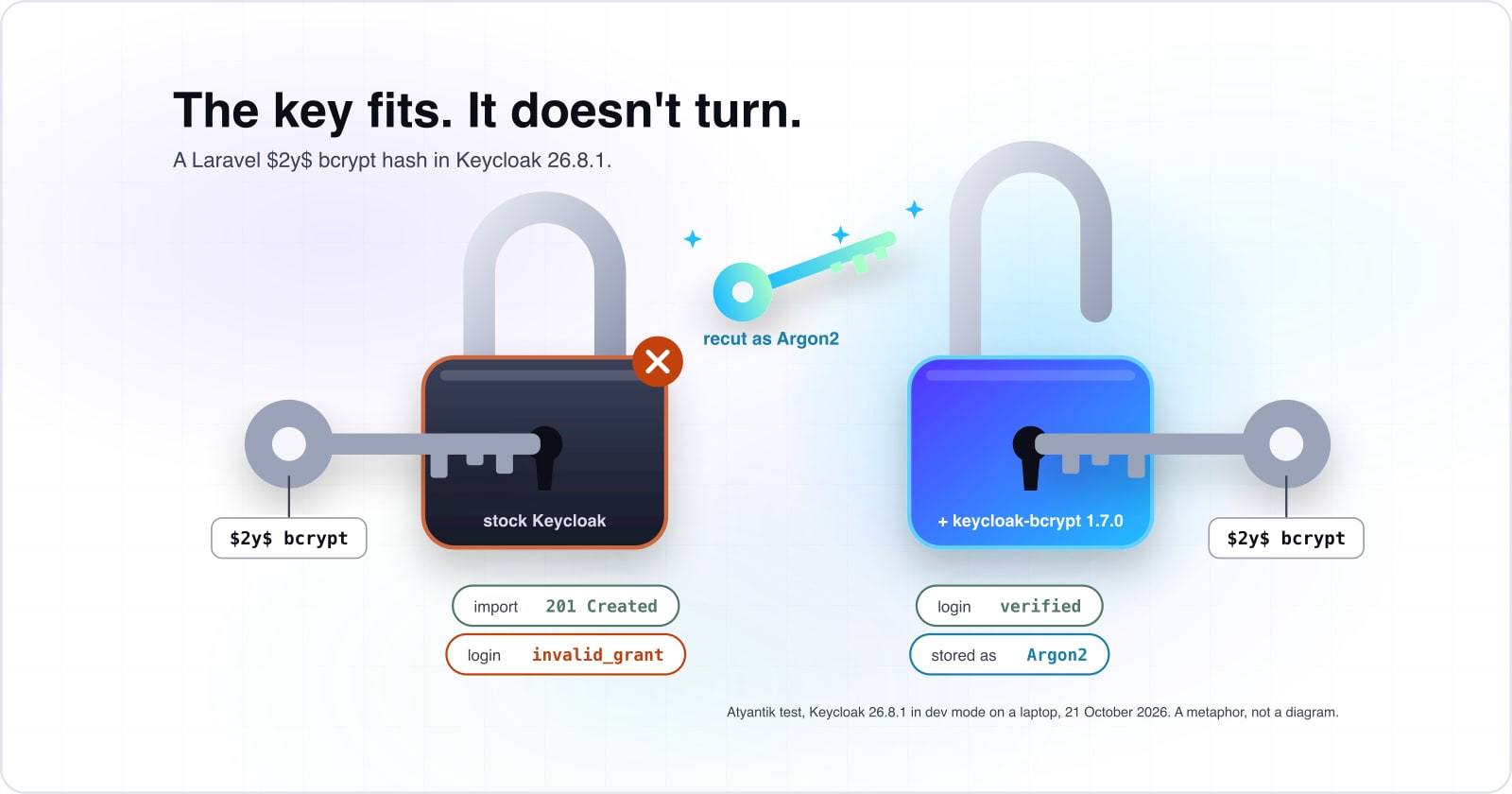
In our test on 21 October 2026, stock Keycloak 26.8.1 accepted a Laravel bcrypt user with HTTP 201 Created, then refused every login with invalid_grant. That status means "created", so the import looks fine. But the login failed for the $2y$ prefix Laravel writes, and it also failed when we rewrote the prefix to $2a$. After each failed try, the stored credential still read bcrypt, and the server log held no line that named bcrypt.
Because the failure is fast, the timing is the clue. In our 21 October 2026 test, the stock server said no in tens of milliseconds, while a real bcrypt check took about ten times as long.
Show data table
| Item | Value |
|---|---|
| stock Keycloak, $2y$ hash, rejected | 38 ms |
| stock Keycloak, $2a$ hash, rejected | 33 ms |
| keycloak-bcrypt, $2y$ hash, verified and rehashed | 367 ms |
| keycloak-bcrypt, $2a$ hash, verified and rehashed | 332 ms |
Stock Keycloak refused both hashes in tens of milliseconds, while keycloak-bcrypt took about ten times as long because it really checked bcrypt.
The docs agree with the test. The hashing table in the Keycloak guide lists only Argon2 and PBKDF2, a password-based hash. Also, the PasswordHashProvider Javadoc names only a PBKDF2 class. Skycloak, which sells managed Keycloak hosting, says in its guide to leaving Auth0, a hosted sign-in service: "Keycloak natively supports importing bcrypt-hashed passwords". However, our test on 26.8.1 did not bear that out. Instead, the import guide from Elestio, another vendor, matches what we saw: "Keycloak doesn't natively support bcrypt".
How do the keycloak-bcrypt provider and the first-login rehash move each user?#
With keycloak-bcrypt 1.7.0 installed, the same imported hash verified in our test, and Keycloak stored that password again as Argon2 once the login succeeded. That held for the $2y$ hash and the $2a$ hash alike, and a second login worked too. The PHP manual explains the prefix, since bcrypt in password_hash uses "the $2y$ identifier". So you can import bcrypt passwords into Keycloak with no rewrite of the prefix.
The keycloak-bcrypt project is a community provider on GitHub, and it is not the only one: Elestio's guide speaks of "third-party plugins like keycloak-bcrypt". It ships one jar for the Keycloak providers folder, and its 1.7.0 release is dated 19 November 2025. Because Keycloak rewrites the credential on the first good login, each user needs the provider only once.
| Algorithm | Default hash iterations |
|---|---|
| argon2 | 5 |
| pbkdf2-sha512 | 210000 |
| pbkdf2-sha256 | 600000 |
| pbkdf2 | 1300000 |
One warning is worth keeping: at startup in our 21 October 2026 test, Keycloak logged KC-SERVICES0047. It says the password-hashing SPI "is internal and may change". SPI means Service Provider Interface, the plug-in point a provider uses.
When is migrate-on-login better than a bulk import?#
Migrate on login when the hashes cannot leave the Laravel database, because a User Storage SPI provider or a Laravel-side call can create the Keycloak user from a password just verified. The Keycloak server developer guide covers the first route. There, a UserStorageProvider that also implements CredentialInputValidator checks a password against outside storage. Smartling's post on a zero downtime Keycloak move calls this "an on demand migration".
The second route keeps the work in Laravel. First, the app checks the password with Hash::check. Then it creates the Keycloak user with that plain password. In our test on 21 October 2026, that create call worked, and the new credential was Argon2 from the start.
So the trade is plain: a bulk import needs a Java provider inside Keycloak for the window. In contrast, migrate on login needs the Laravel users table to stay live for the window. And the first route adds a Java SPI provider to maintain.
Should each Tenancy for Laravel tenant be a Keycloak realm or an Organization?#
Use one realm with Keycloak Organizations unless tenants need separate login policies, because a realm per tenant gave one person 2 user ids in our test. A realm in Keycloak manages its own set of users, credentials and login settings. Tenancy for Laravel, the stancl/tenancy package, finds the tenant from a domain, a subdomain or a path. Once sign-in moves, the tenant has to live in Keycloak too.
In our test on 21 October 2026, a person in two tenants was one Keycloak user with Organizations. With a realm per tenant, the same person became two users. The guide notes, "Multiple organizations can be included if the user is a member of multiple organizations".
2
Realm per tenant
1
One realm with Organizations
With a realm per tenant, a person in two tenants became two Keycloak users; with Organizations, that person stayed one user.
| Option | Keycloak user ids |
|---|---|
| Realm per tenant | 2 |
| One realm with Organizations | 1 |
So Keycloak Organizations for a multitenant Laravel app keep one identity per person. But every tenant then shares the realm's password policy and login settings. In contrast, a realm per tenant gives each tenant its own policies, at the cost of duplicate people. Our Tenancy for Laravel review covers the tenant side this maps onto.
How does the Laravel app read the tenant from the Keycloak token?#
Request the organization scope with the tenant's alias, read the organization claim, and initialise that tenant in Tenancy for Laravel before the request reaches a controller. The guide says apps can request "scope=organization:alias for a specific organization".
The alias matters, because in our 21 October 2026 test a user in two organizations got no organization claim from the plain scope on a direct password grant. Yet organization:acme returned acme alone. In a browser login, the guide says that user "will be prompted to select an organization when authenticating to the realm".
During the window, both tenant sources can run side by side. The subdomain still tells Laravel which tenant the request is for, and then that alias goes into the scope. After the cutover, the claim is the tenant source.
Which documentation pages do you build this from?#
Build it from the official pages in the order the work runs: Laravel hashing, the Keycloak admin REST API, the keycloak-bcrypt README, Keycloak hashing and Organizations, the SPI guide and Tenancy for Laravel.
- Laravel hashing: the bcrypt driver and Hash::check.
- Keycloak admin REST API: the HTTP endpoints for users, credentials and organization members.
- keycloak-bcrypt README: the jar and the providers folder.
- Keycloak server administration guide: hashing, the rehash on login and the organization scope.
- Keycloak server developer guide: the User Storage SPI.
- Tenancy for Laravel tenant identification: where a request gets its tenant.
What is the smallest working import and tenant lookup?#
The smallest working version is one artisan command that posts each user with a bcrypt credential, and one middleware that reads the organization claim. Artisan is the command line interface included with Laravel. First, put the jar in place as the README shows, then restart Keycloak.
curl -L https://github.com/leroyguillaume/keycloak-bcrypt/releases/download/v1.7.0/keycloak-bcrypt-1.7.0.jar > ${KEYCLOAK_HOME}/providers/keycloak-bcrypt-1.7.0.jarNext, add the import command. It sends each hash as it is and reads the bcrypt cost from the hash. Since the REST API types secretData and credentialData as strings, both are JSON encoded.
// routes/console.php
use App\Models\User;
use Illuminate\Support\Facades\Artisan;
use Illuminate\Support\Facades\Http;

Artisan::command('keycloak:import {realm}', function (string $realm) {
    $url = env('KEYCLOAK_URL')."/admin/realms/{$realm}/users";

    User::query()->each(function (User $user) use ($url) {
        $response = Http::withToken(env('KEYCLOAK_ADMIN_TOKEN'))->post($url, [
            'username' => $user->email,
            'email' => $user->email,
            'enabled' => true,
            'credentials' => [[
                'type' => 'password',
                'secretData' => json_encode(['value' => $user->password, 'salt' => '']),
                'credentialData' => json_encode([
                    'algorithm' => 'bcrypt',
                    'hashIterations' => (int) substr($user->password, 4, 2),
                ]),
            ]],
        ]);

        $this->info("{$user->email}: {$response->status()}");
    });
});
Run it inside each tenant's context. Then add each new user to that tenant's organization through the members endpoint. Finally, the middleware reads the claim and starts the tenant with the tenancy() helper.
// app/Http/Middleware/TenantFromOrganization.php
namespace App\Http\Middleware;

use App\Models\Tenant;
use Closure;
use Illuminate\Http\Request;

class TenantFromOrganization
{
    public function handle(Request $request, Closure $next)
    {
        // ID token claims your sign-in step stored, requested with scope organization:<alias>
        $alias = $request->session()->get('oidc_claims.organization.0');
        abort_unless($alias, 403);

        tenancy()->initialize(Tenant::findOrFail($alias));

        return $next($request);
    }
}
When not to import bcrypt hashes into Keycloak?#
Skip the bcrypt import when Keycloak must run in FIPS mode, when the hashes are not bcrypt, or when the user count is small enough that a reset costs less than a provider. FIPS is the United States Federal Information Processing Standards. The Keycloak release notes say "Argon2 is not compliant with FIPS 140-2". So in that mode the default stays PBKDF2. And a security review there must clear a third-party jar, so migrate on login is cleaner.
Also, if the Laravel app uses its Argon driver, the bcrypt provider does nothing for those users. In that case migrate on login works, since it handles any hash Laravel can check. Finally, a small internal app may do better with one honest reset email. Because the hashing SPI is internal, every Keycloak upgrade means testing the provider again.
How do you know the migration is finished?#
Count the credentials still stored as bcrypt; when that count reaches zero or the window closes, remove the jar and send resets only to the accounts left. The credentials endpoint in the admin REST API returns each stored credential with its algorithm. So a short script can do the count.
Then the next reads are close at hand. The Tenancy for Laravel review covers the tenant setup in depth. Our map of Laravel packages for a SaaS app shows where identity sits. For an audit trail of each migrated login, see the activity logging guide for Laravel with Spatie. If you want a team on it, see Laravel developers for hire or a security and compliance review. Still, the pages listed above are enough to run it alone.